Nail techs · Nail art

Buno Nails, the app that keeps your nail requests in order.

You share one link. Your clients build their set nail by nail, see the price and the deposit, then pick their days. You reply and lock in the date.

Buno Nails icon Buno NailsNail requests and booking
Coming soon onthe App Store Coming soon onGoogle Play

App Store and Google Play: iPhone now, Android soon. Your clients don’t install anything: they just use your link.

What your clients see

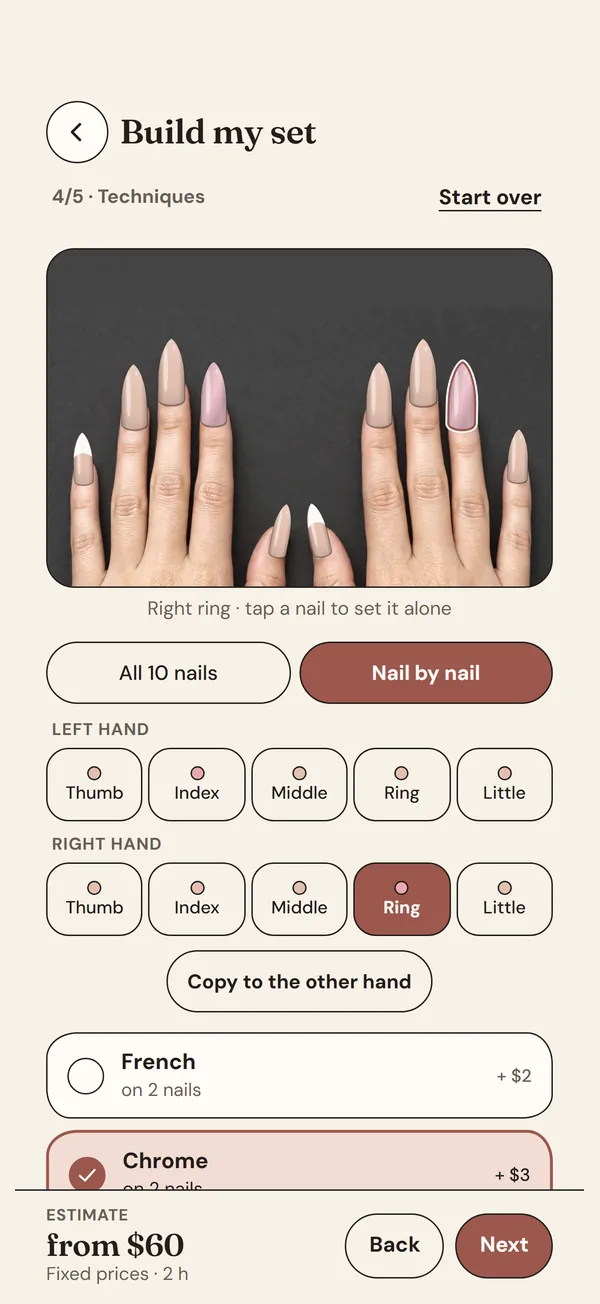
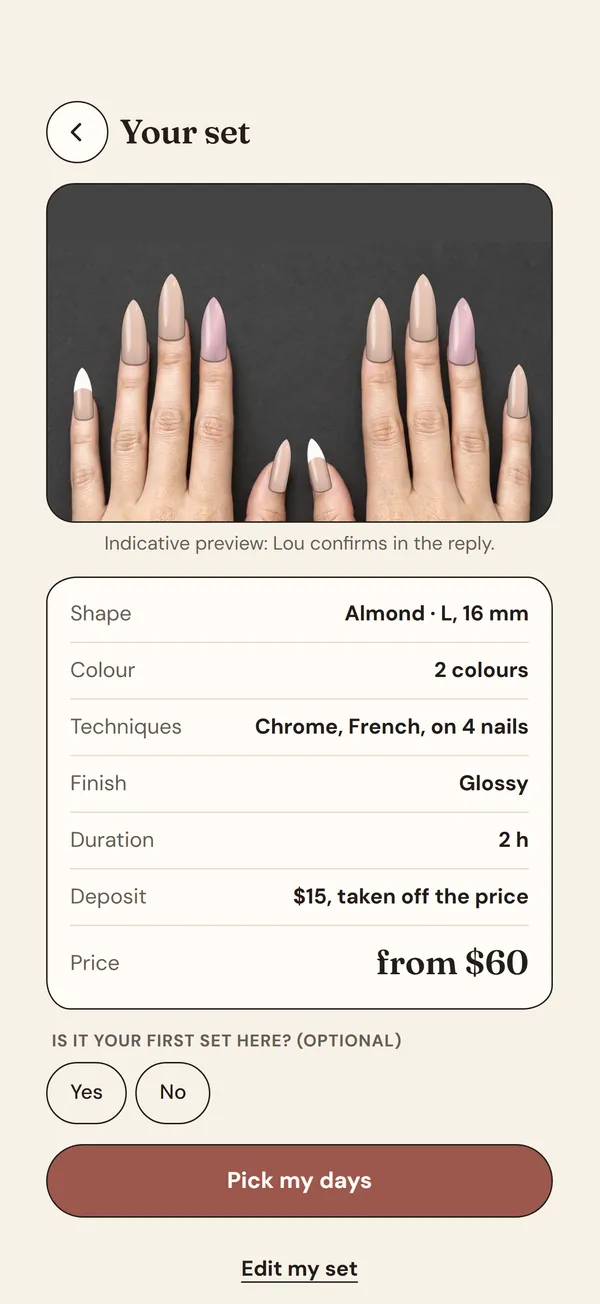
A set built nail by nail, with the price and the deposit.

Your link in your Instagram bio or as a QR code. No account, no app for them to install.

  1. Builds their setShape, length, colours and techniques, nail by nail

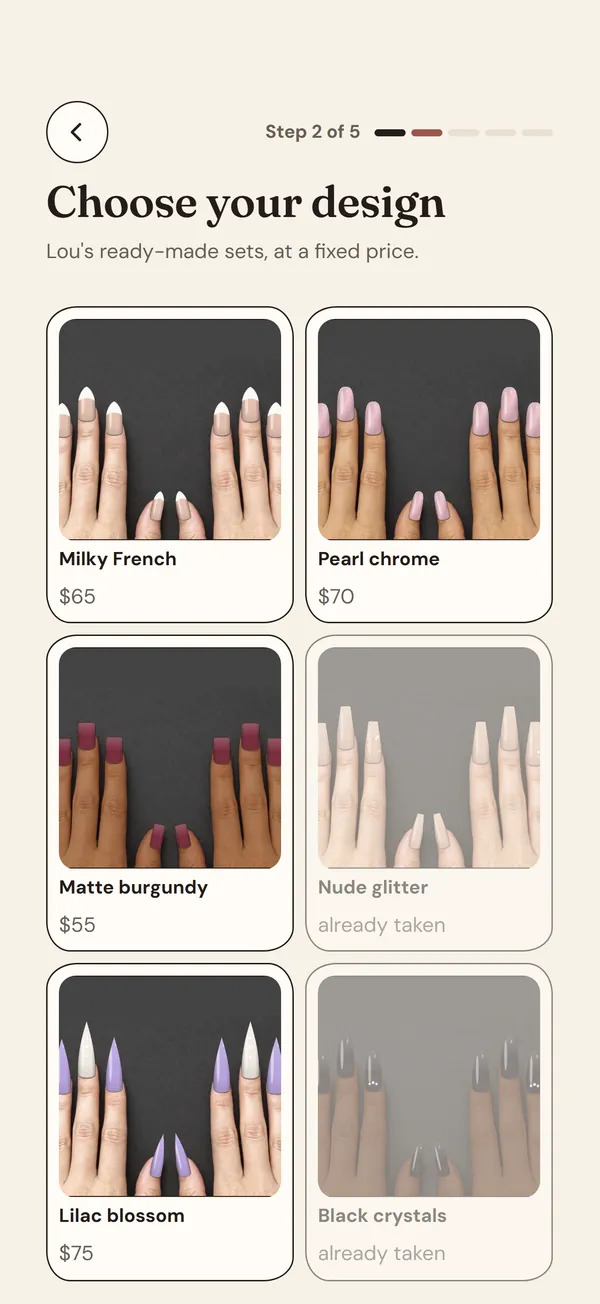
  2. Or picks a designYour ready-made sets at a fixed price; taken ones are greyed out

  3. Sees their set, price and depositThen picks their days and sends the request

Right after sending

  • Filed in your requests
  • Notification on your phone
  • Their set attached to the request

What you see

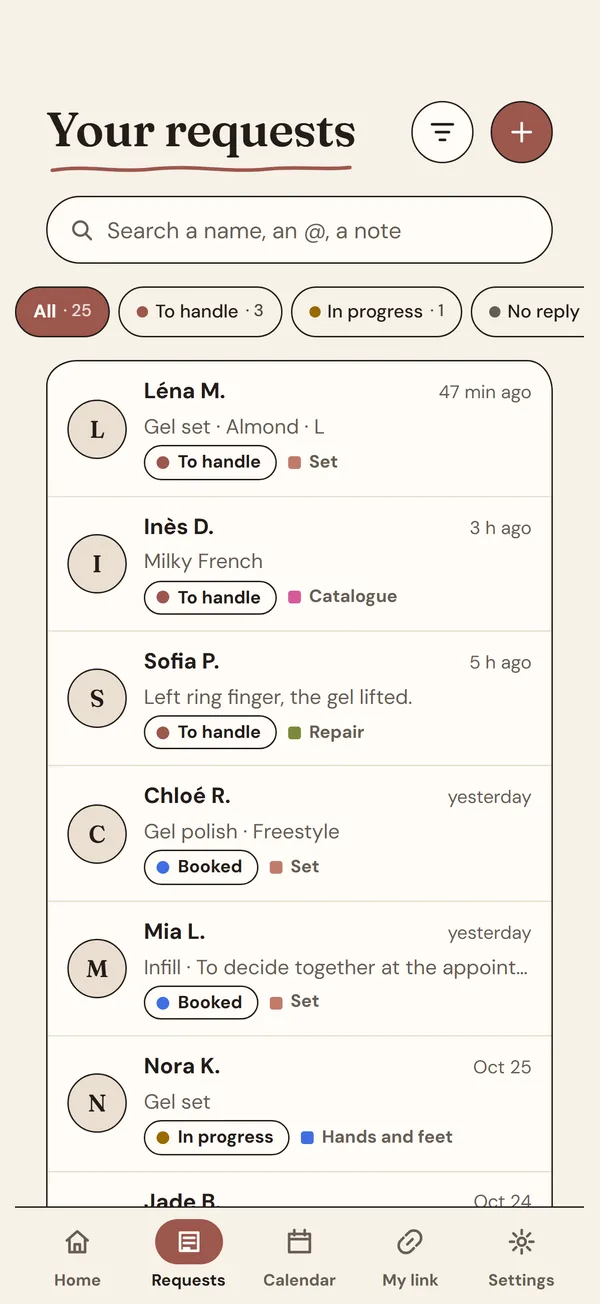
Your requests, your calendar and your infills in one place.

Six screens of the app, explained one by one.

Requests

  1. Search: a name, an @, a note
  2. Filters by status, with the number of requests
  3. The status and type of each request, in colour

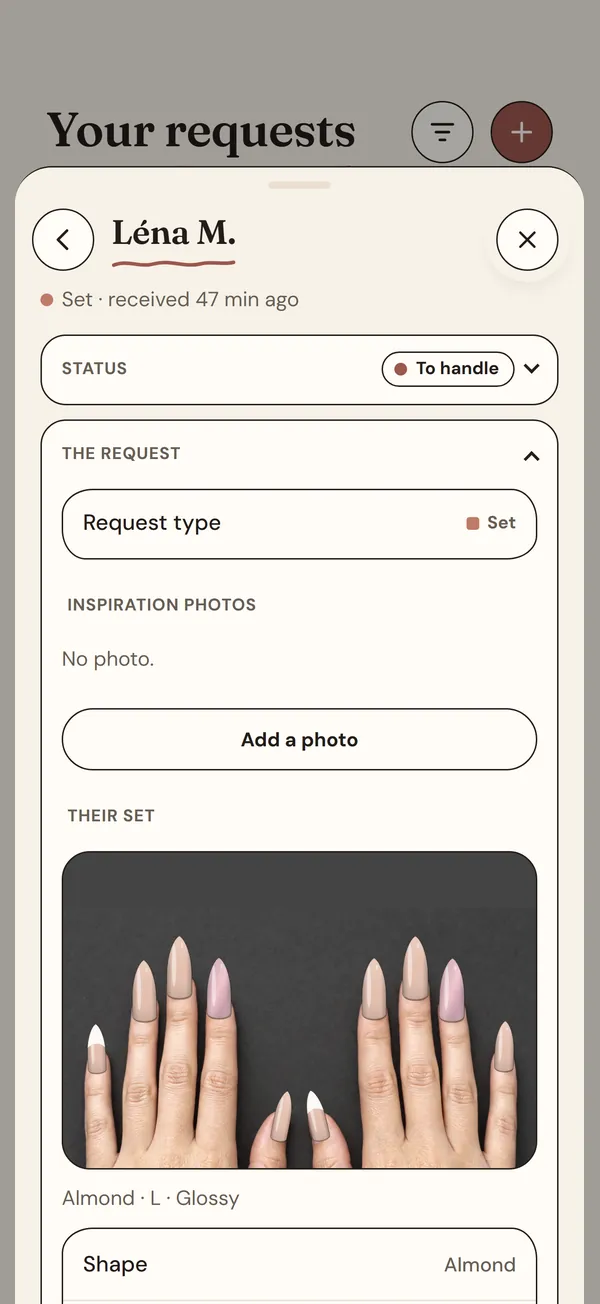
Request details

  1. The request status, changed in one tap
  2. Their inspiration photos, and yours
  3. Their set as they built it: shape, length, techniques

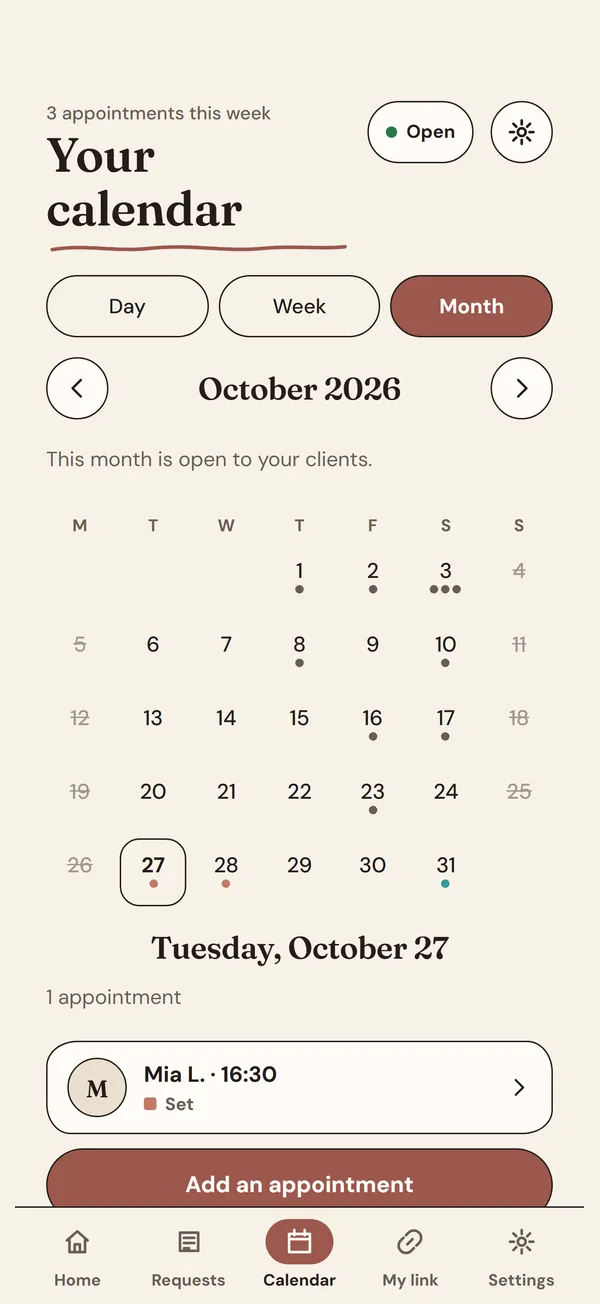
Calendar

  1. Your calendar open or closed to requests
  2. Day, week or month view
  3. Days with appointments, marked with a dot
  4. Today’s appointments, and adding one

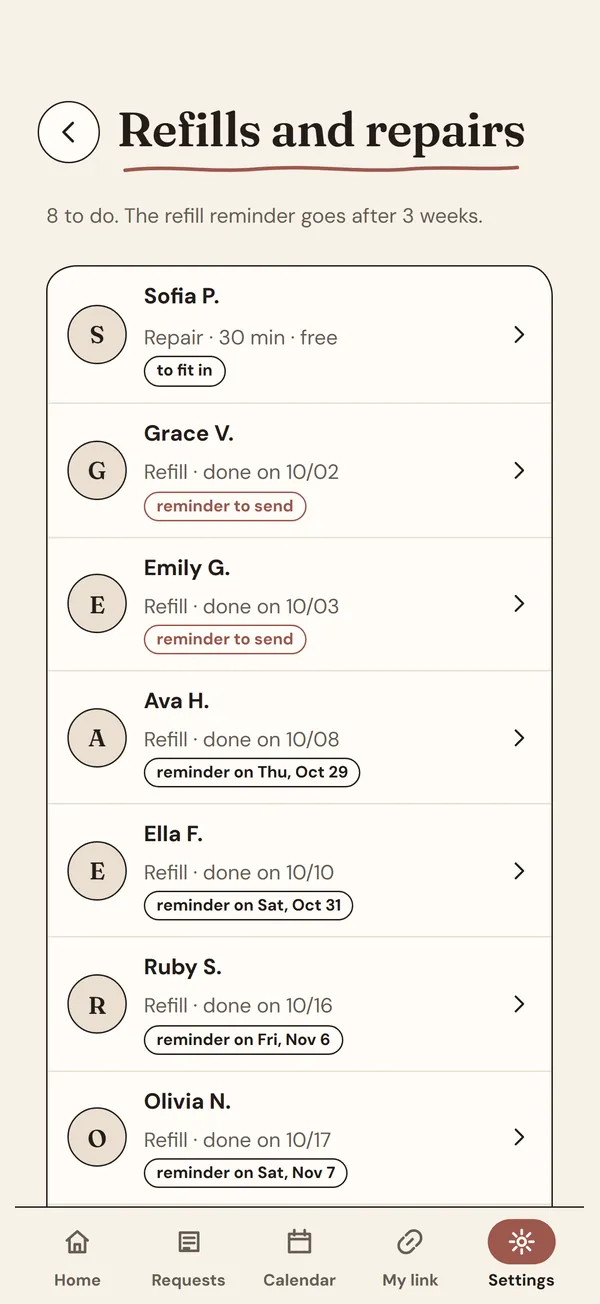
Infills and repairs

  1. What’s left to do, and the reminder delay
  2. Repairs, free or not
  3. The infill reminder, ready to send

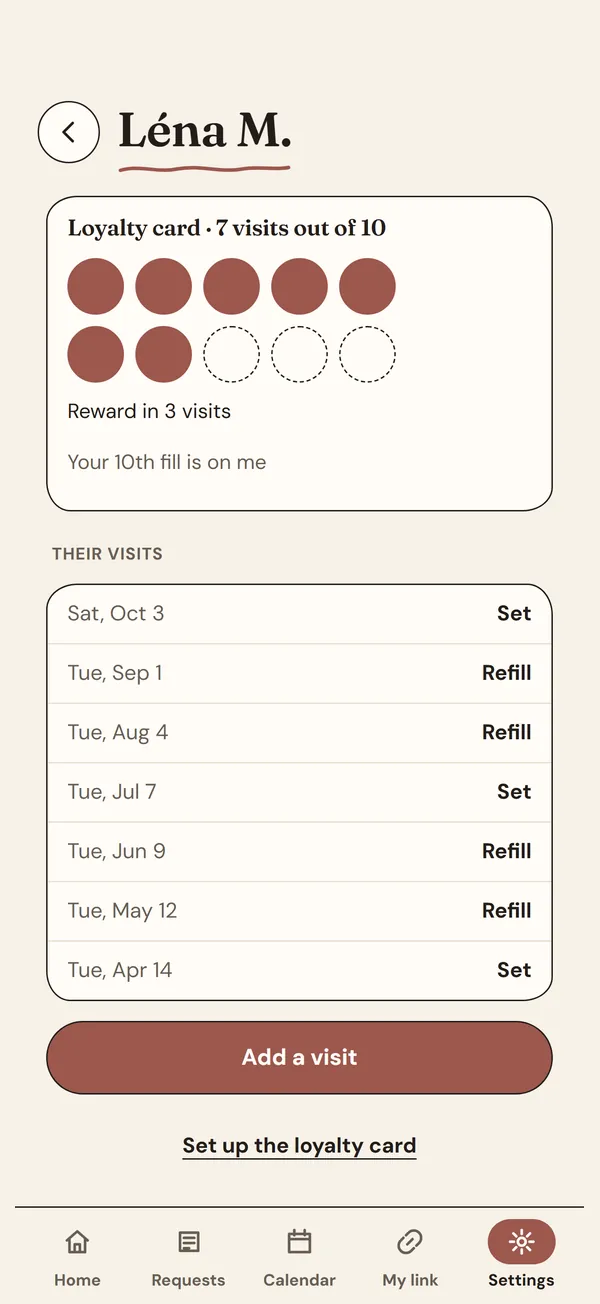
Loyalty card

  1. Your client’s visits, stamp by stamp
  2. All their visits, full set or infill
  3. A visit added by hand, in one tap

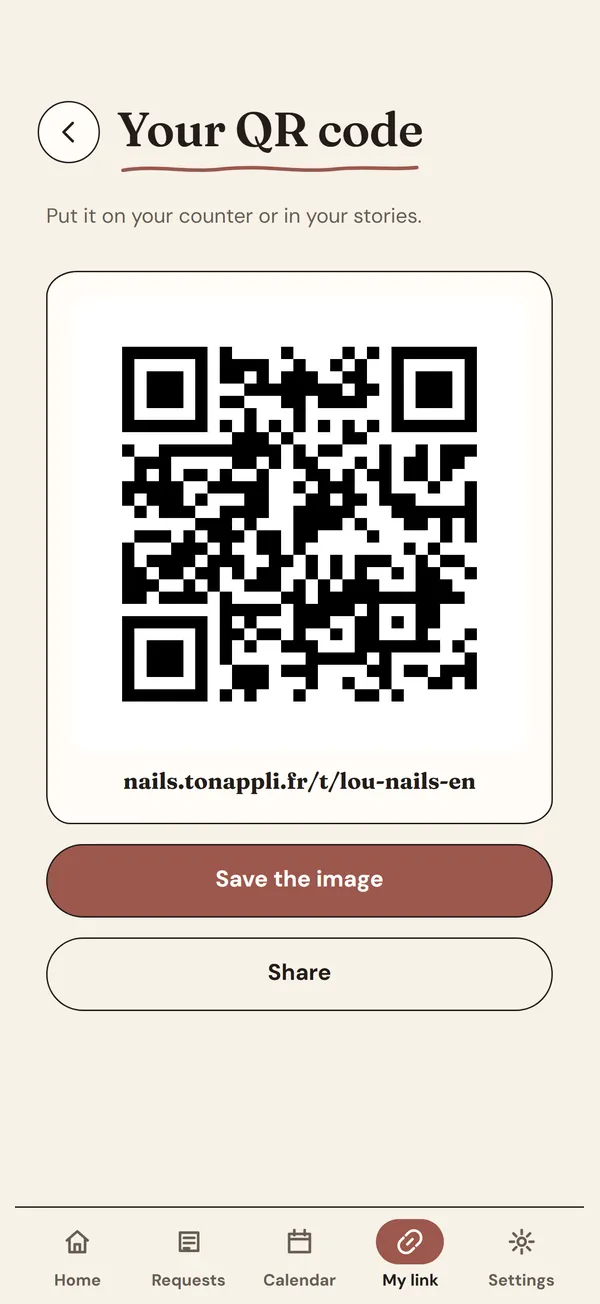
My link

  1. Your QR code, for your counter or your stories
  2. Your own address, for your bio
  3. The image to save or share

App screens with sample data: names and amounts are made up.

What you change yourself

Your months, your days, your loyalty card: you decide.

On the left your setting, on the right what your client sees.

You open a month

You
My months
DecemberOpenClosed
The switch opens or closes a month.
Your client

December appears, they pick their dates.December stays closed: they can’t pick it.

You close a day

You
October, day by day
MTWTFSS 2628293031
Tap a day to close it (holiday, something came up…) or reopen it.
Your client

The 27th is crossed out, they can’t pick it.The 27th is available.

You turn on your loyalty card

You
Loyalty
Loyalty card10 visits · 10th infill free
A stamp is added at each visit.
Your client

Their card appears, with 7 stamps.No more loyalty card for them.

A question about Buno Nails?

Write to me, I’ll get back to you quickly. Want an app with your own name, made for you? That’s custom work, quoted on request.