Home
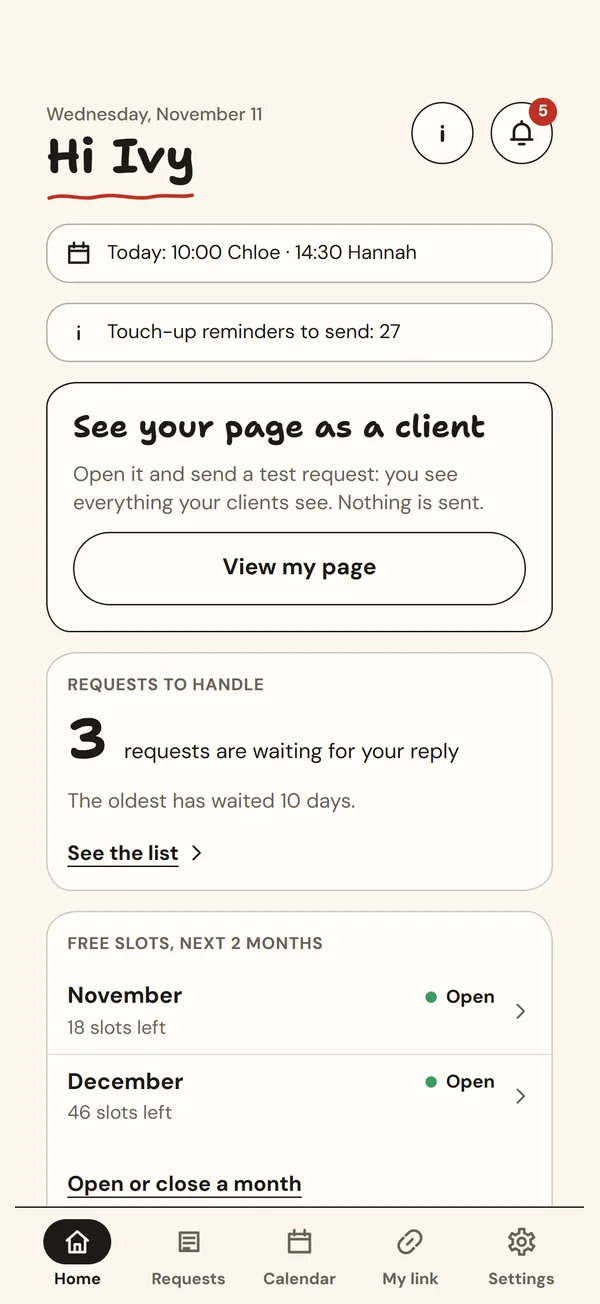
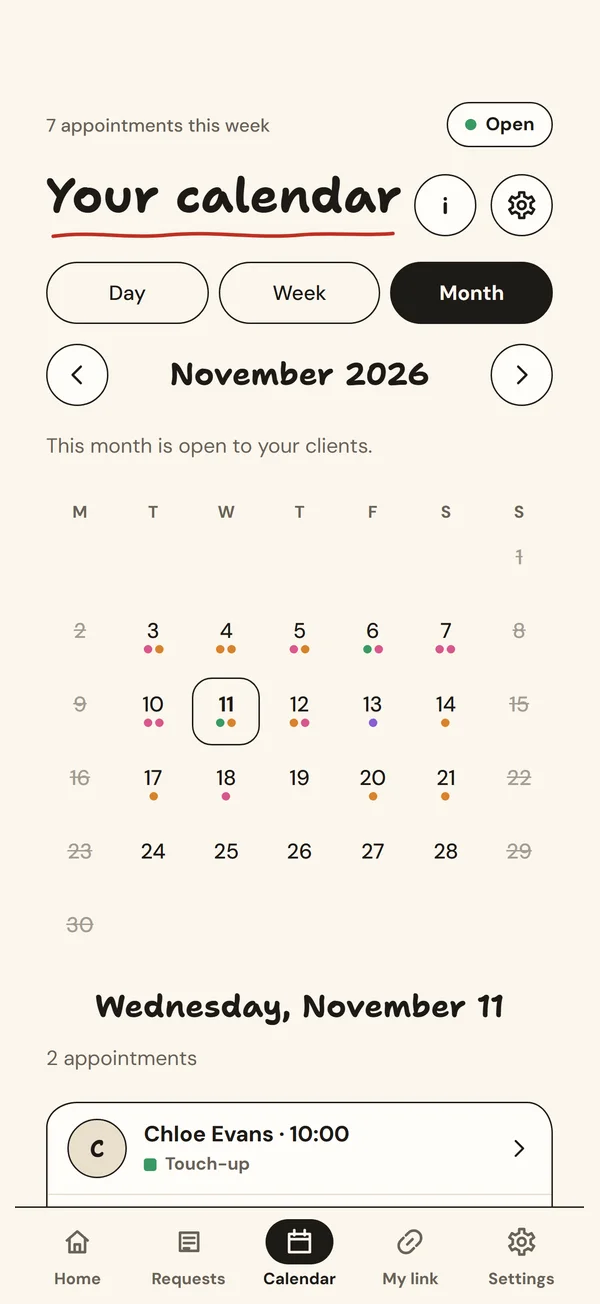
- Today’s appointments and touch-up reminders
- Your page as a client sees it, to send a test request
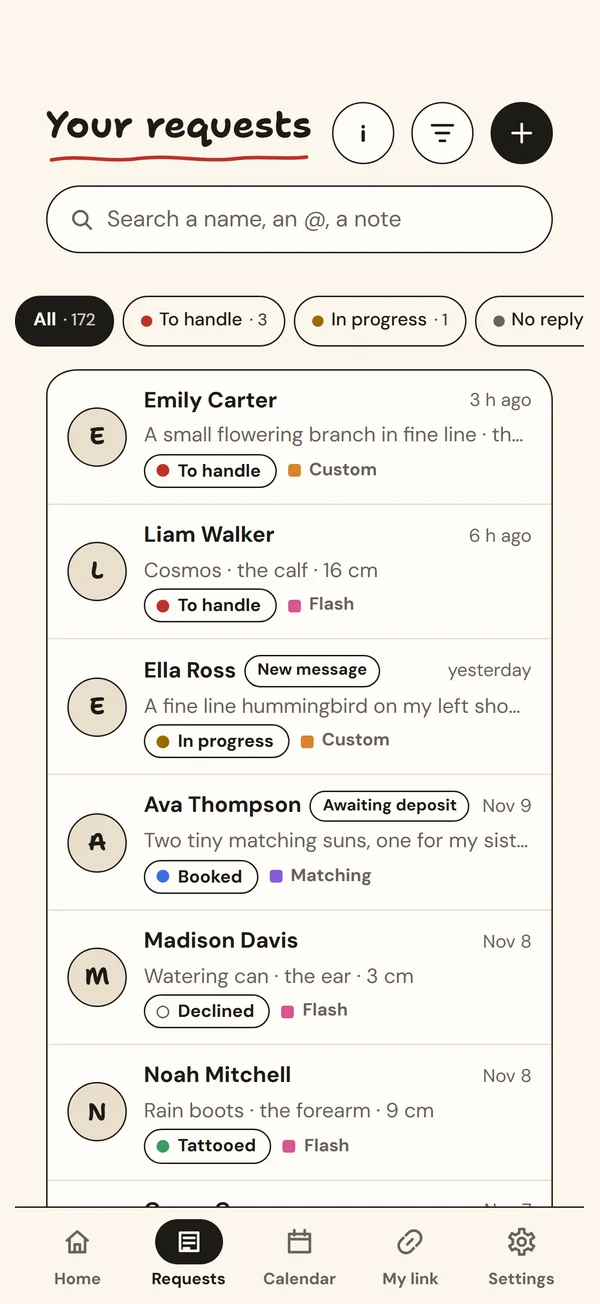
- Requests waiting for your reply
- Your free slots over the next two months
Tattoo artists
Share one link. Your clients send you a complete request: idea, photos, placement on the body, size and dates. You reply and set the date.
 Buno TattooTattoo requests and booking
App Store and Google Play: iPhone today, Android soon. Your clients install nothing: they just use your link.
What your clients see
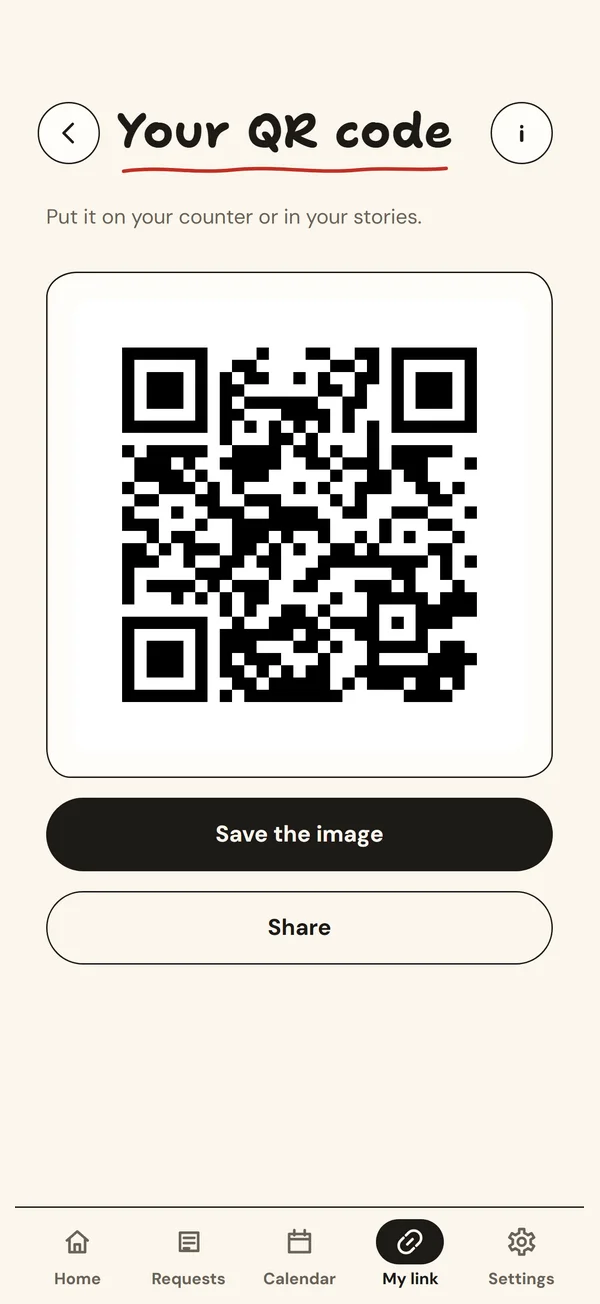
Your link in your Instagram bio or as a QR code. No account, no app to install for them.
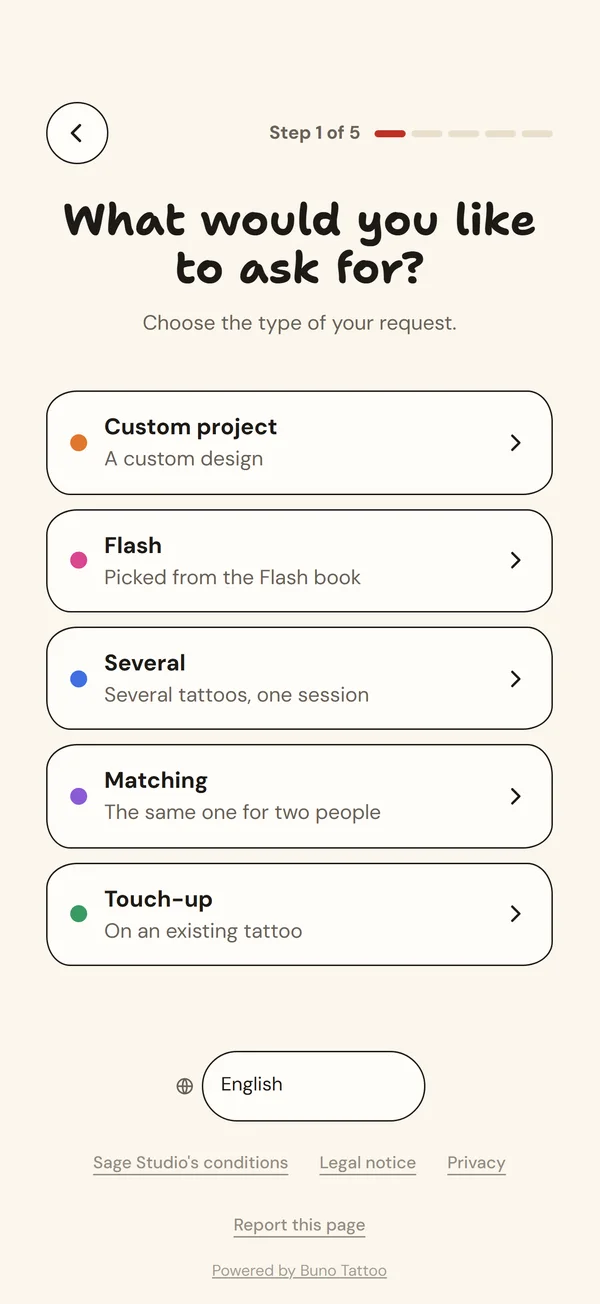
Picks a request typeCustom project, flash, several tattoos, matching or touch-up
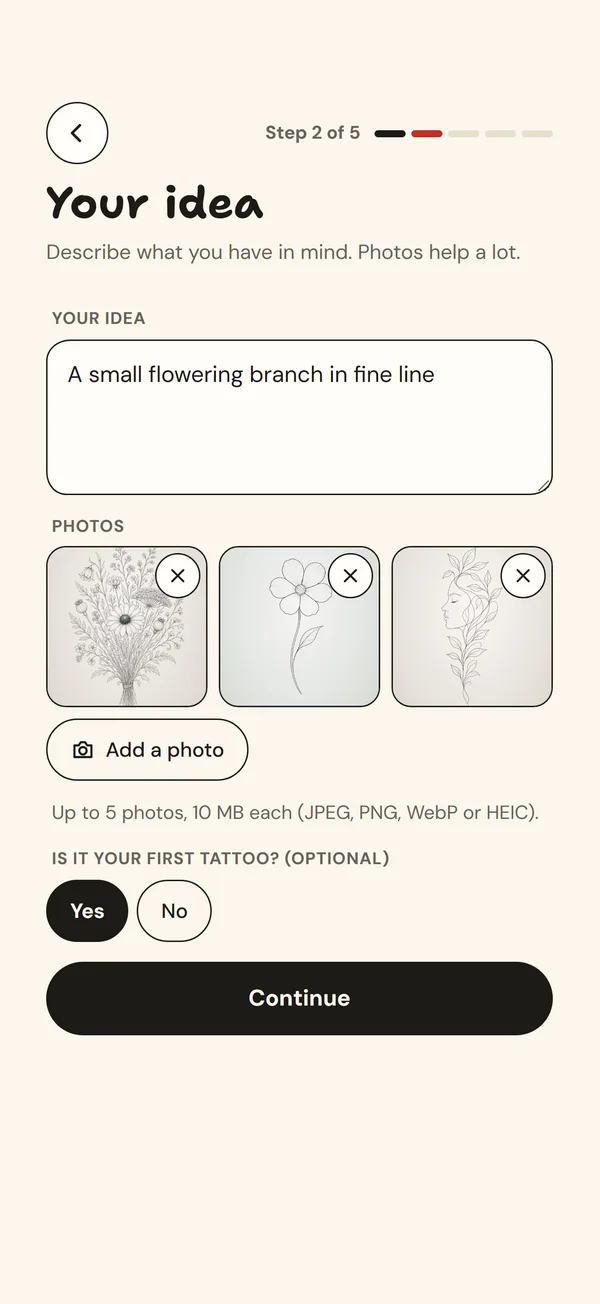
Describes the ideaIn a few words, with inspiration photos
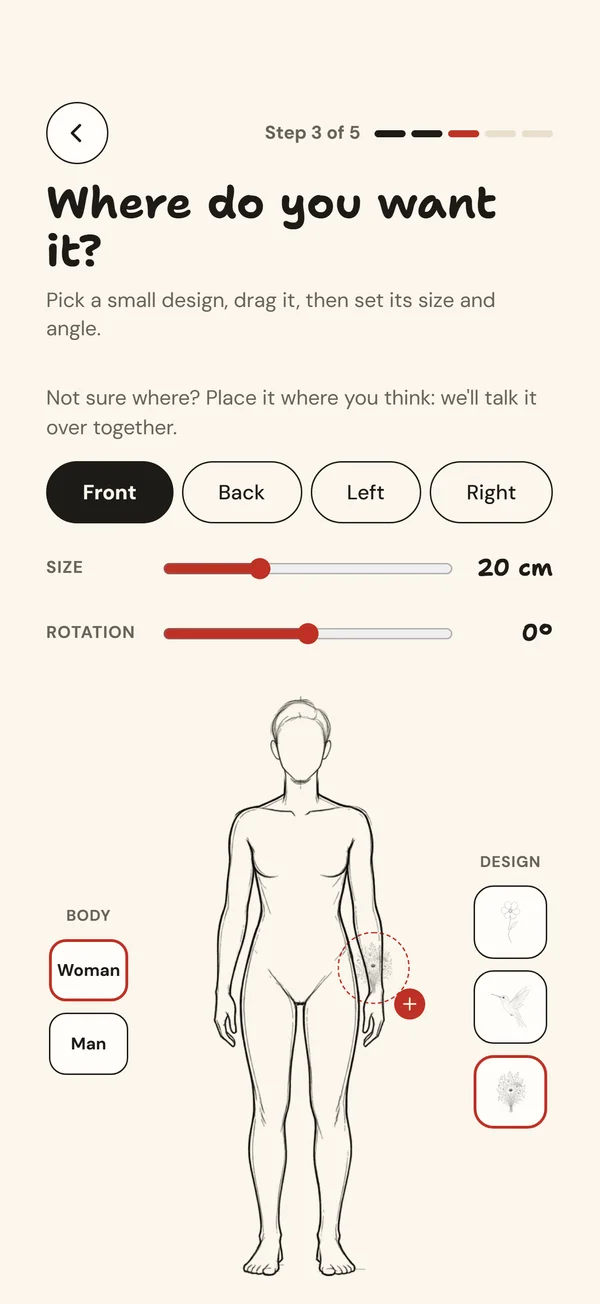
Places the tattoo on the bodyOn a drawn body, with size and angle
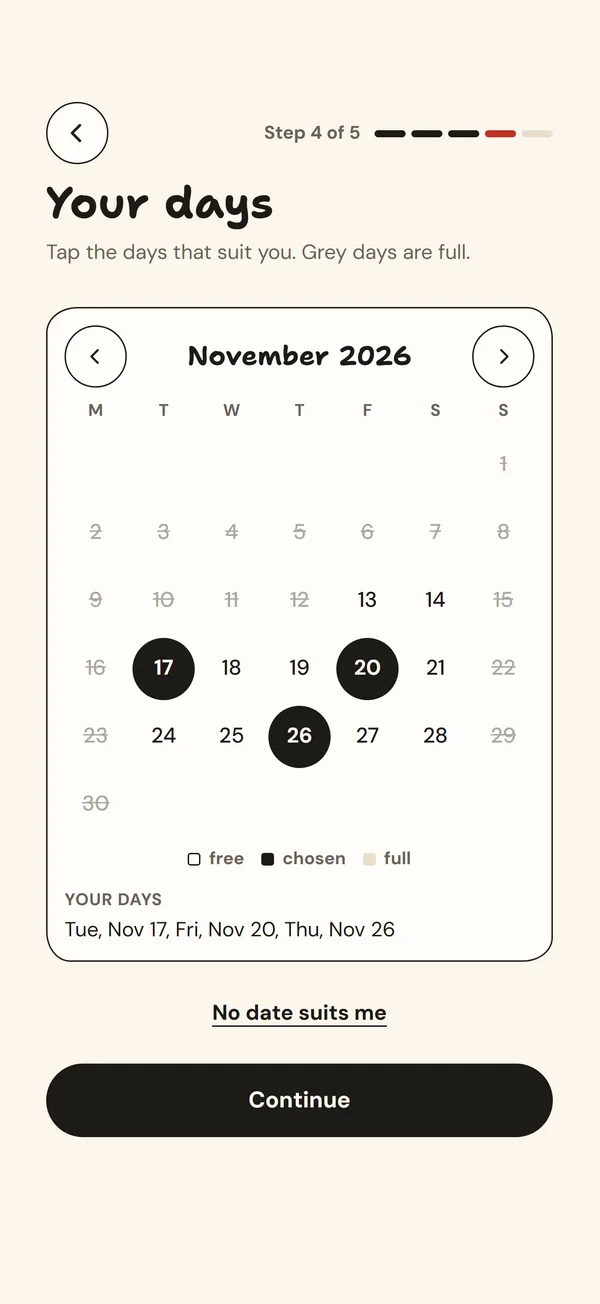
Picks the daysFrom your free days, full days are greyed out
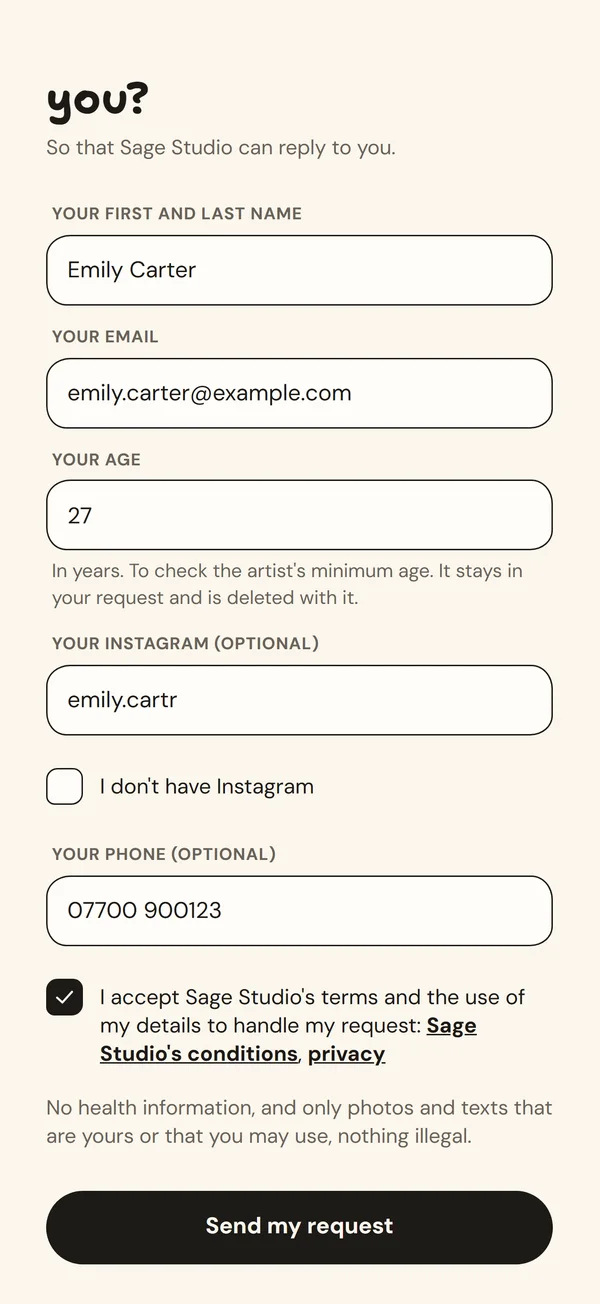
Leaves contact details, sendsName, email, age, then accepts your terms
Right after sending
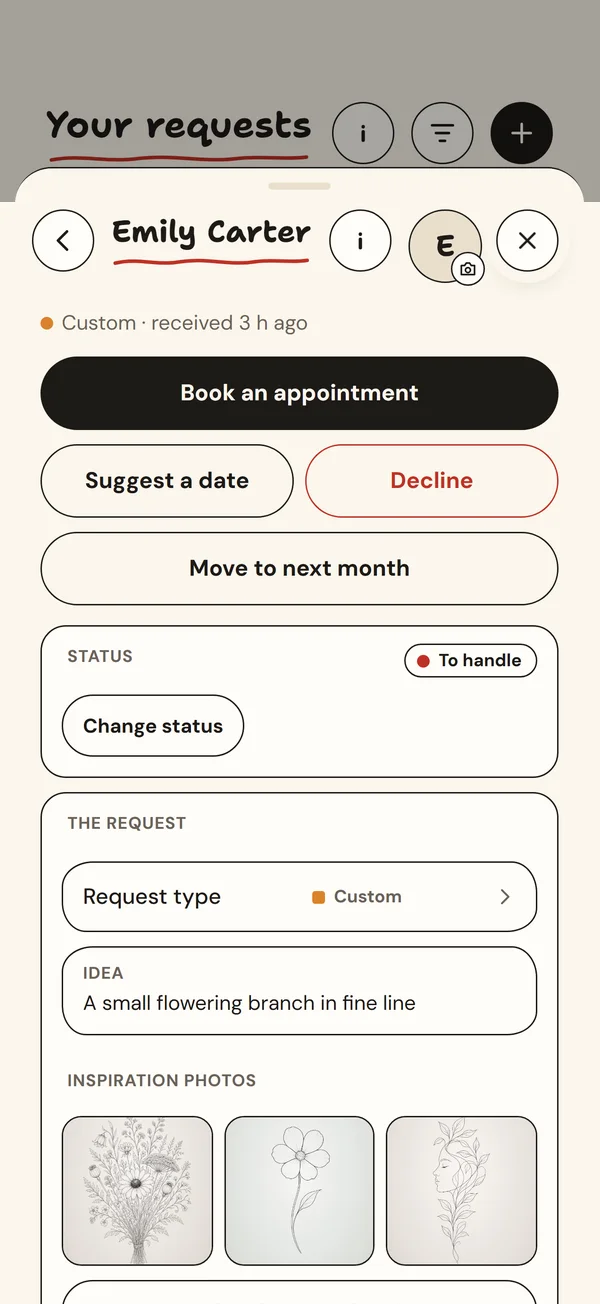
What you see
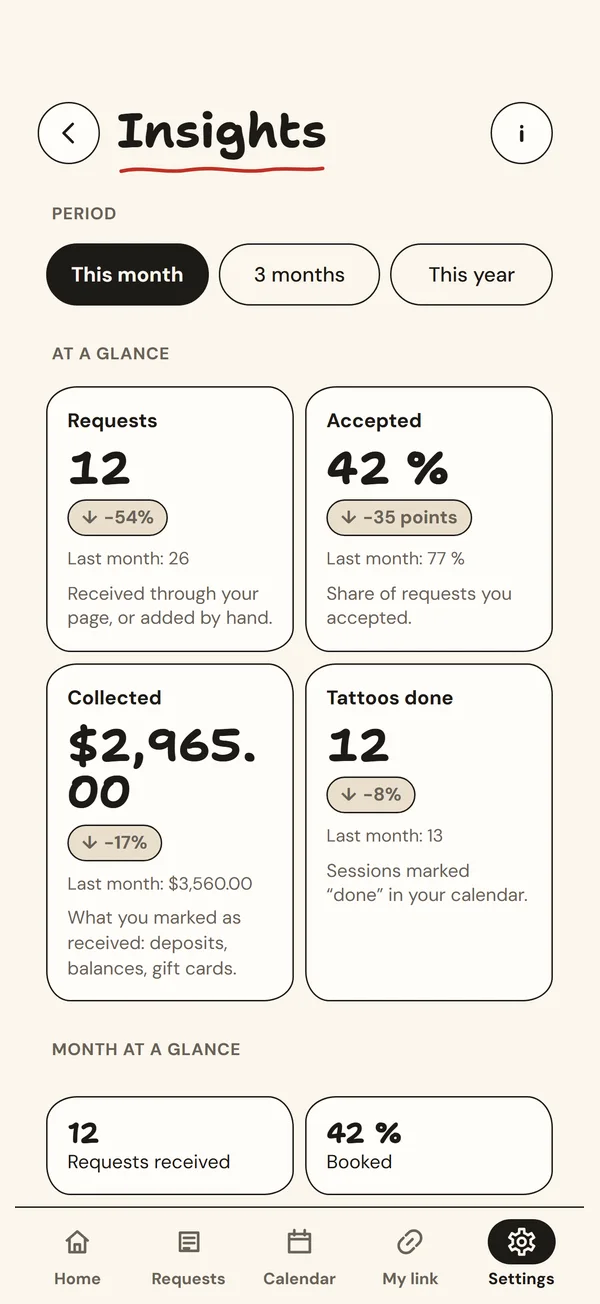
Six screens of the app, annotated one by one.
App screens with sample data: names and amounts are made up.
What you change yourself
On the left your setting, on the right what your client sees.
December appears, they pick their dates.December stays closed: they can’t pick it.
The face is greyed out, they can’t pick it.The face is offered like the rest.
The question is in their form.The question disappears from their form.
Features
Every image comes from the app, with a test account and made-up data.
All on one screen, each in its place.
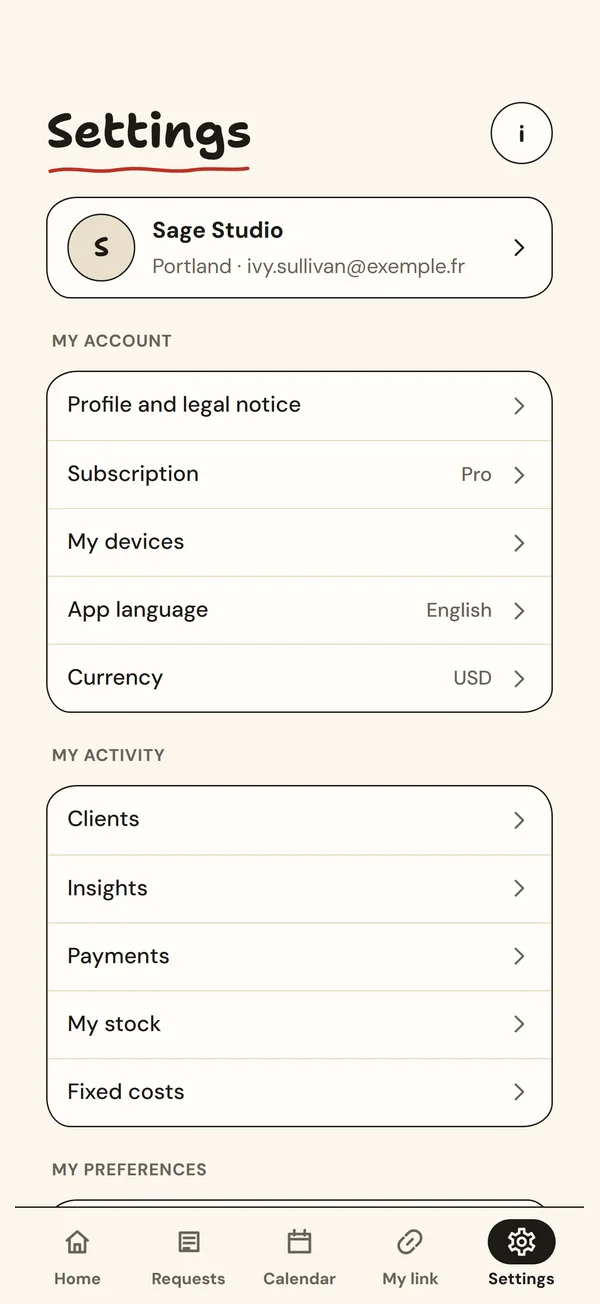
Profile, plan, devices, language and currency, at the top of Settings.
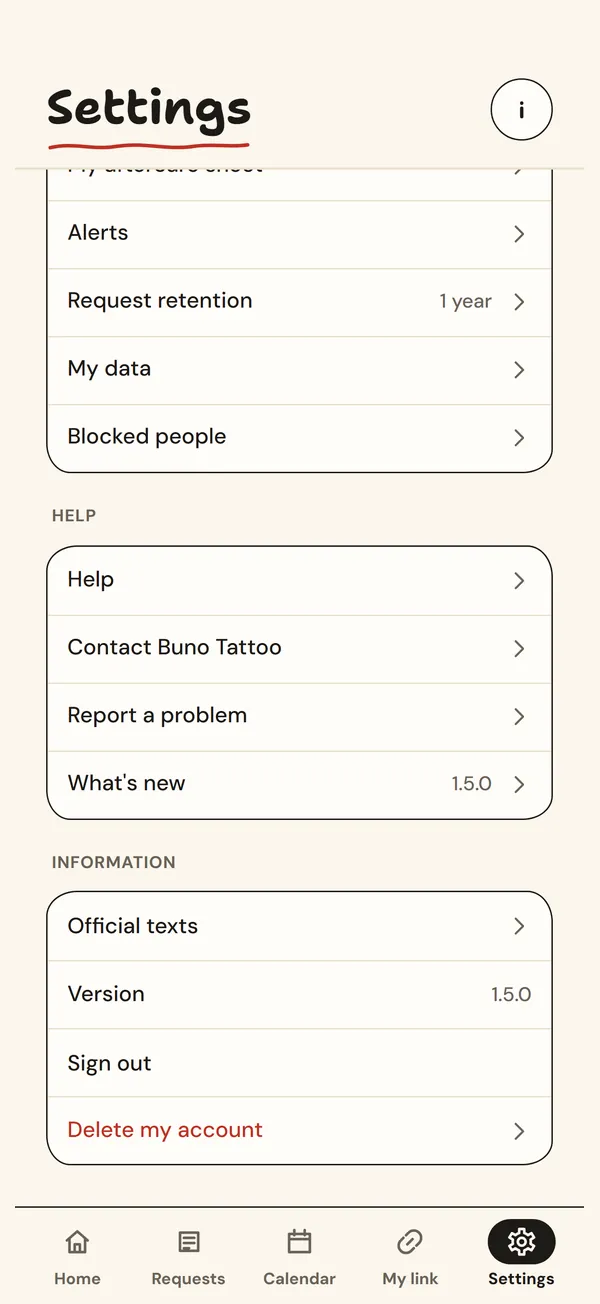
Alerts, retention, your data, help: nothing is hidden.
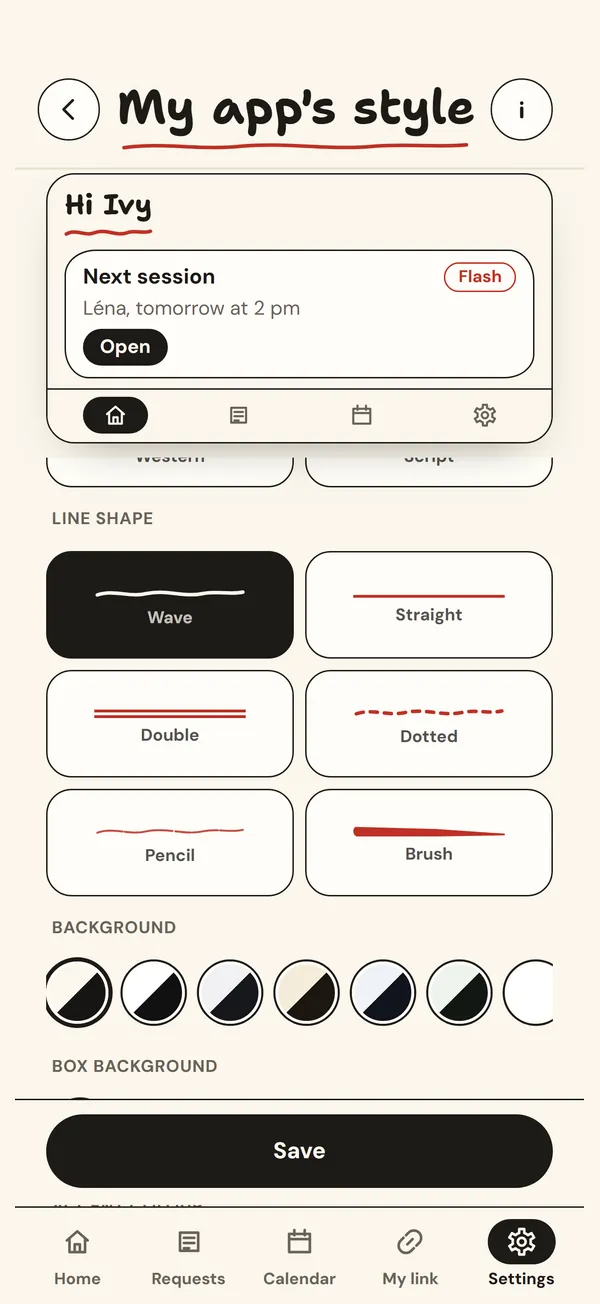
Background, lines, colours: the app looks like you.
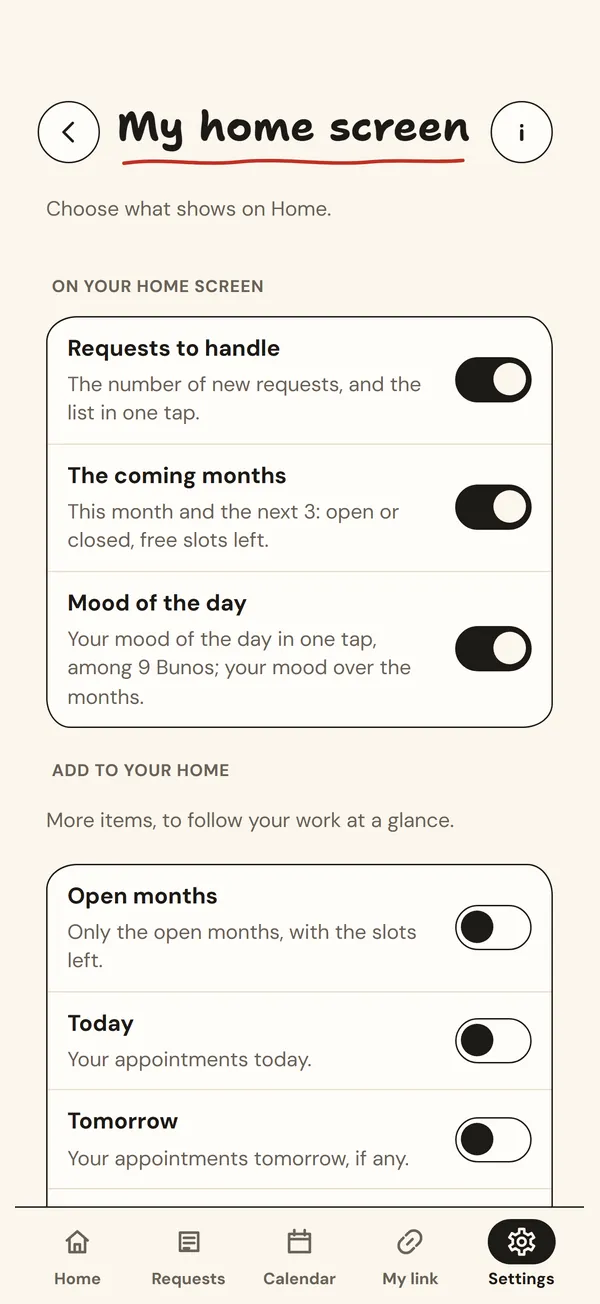
Choose what shows when you open the app, and in what order.
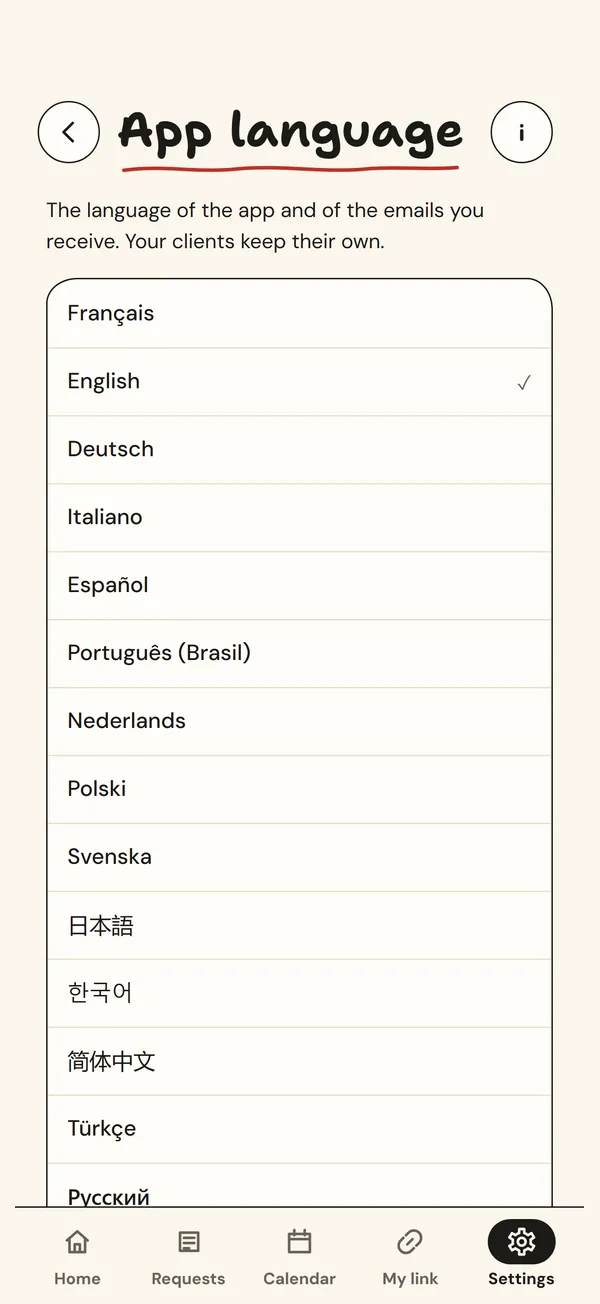
The app in 58 languages. Your clients keep theirs.
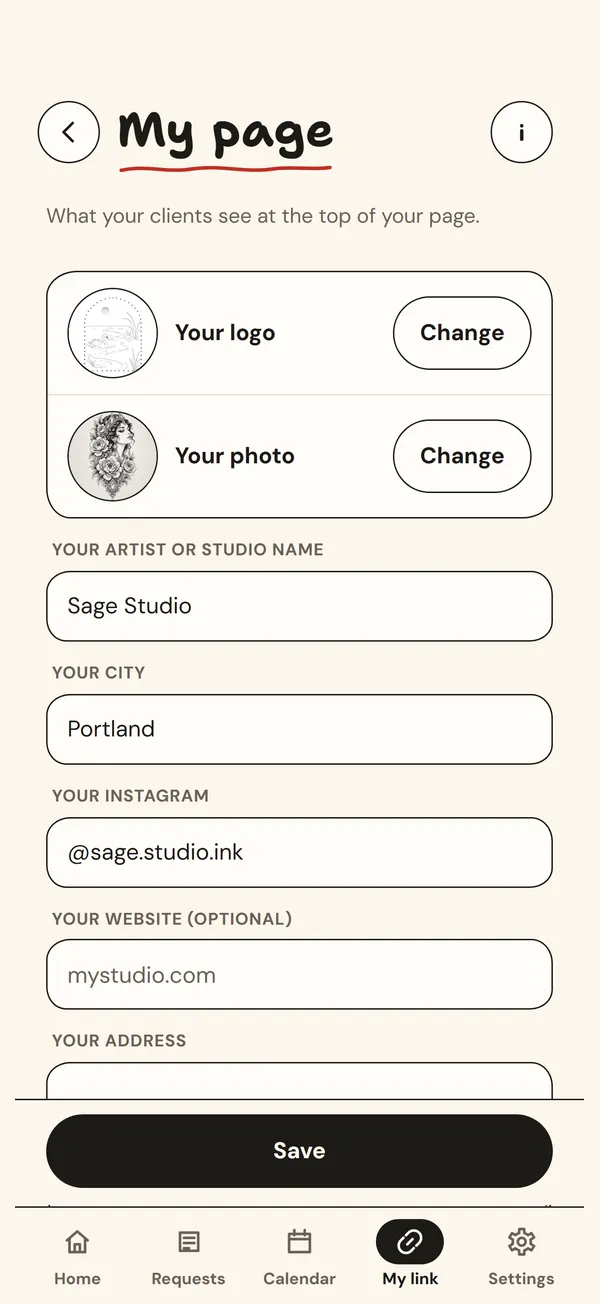
What your clients see, set from your phone.
Picked from your phone, made lighter automatically so your page loads fast.
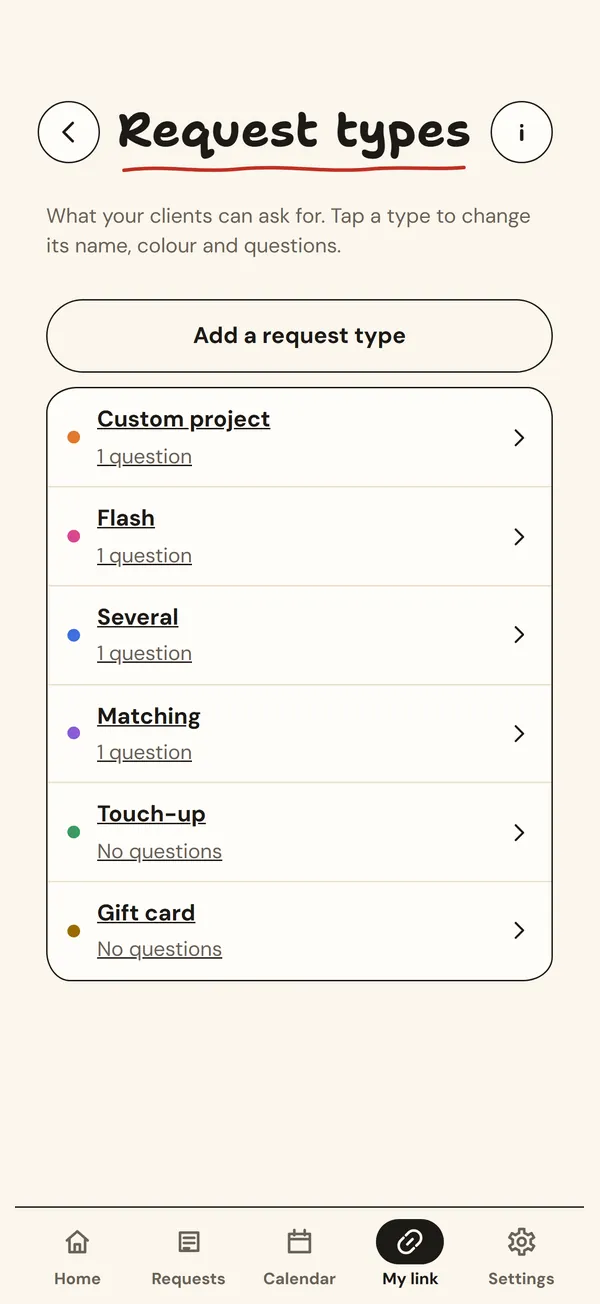
Project, Flash, Matching, Touch-up, Gift card: each with its own questions.
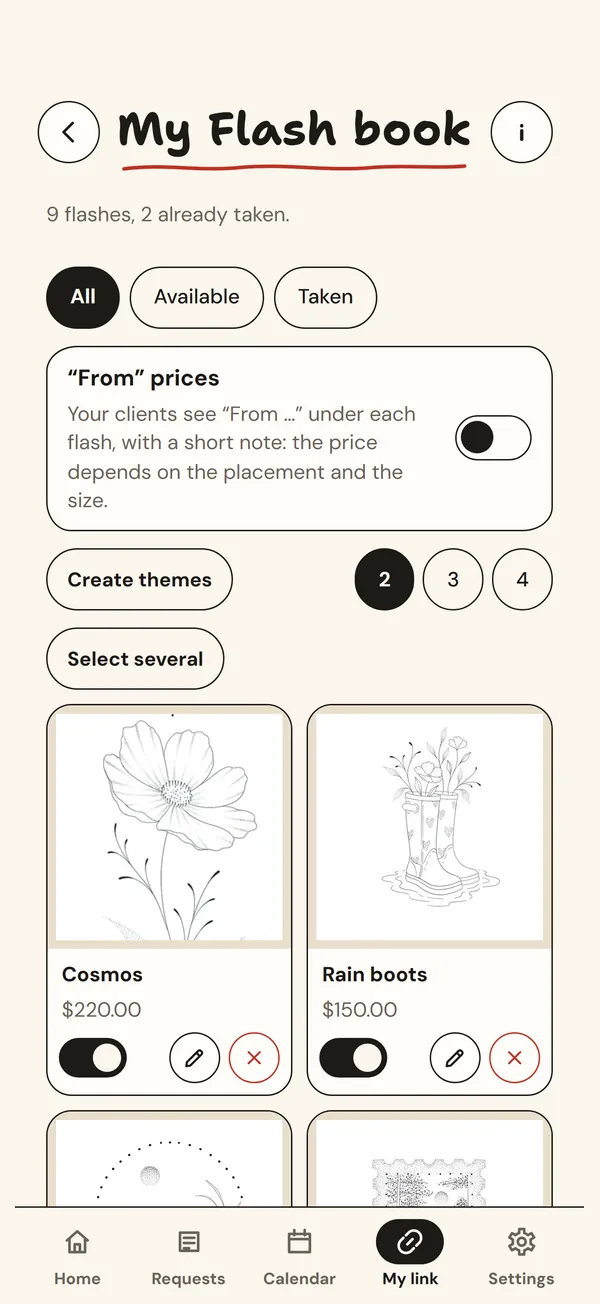
Your flashes with prices, available or taken in one tap.
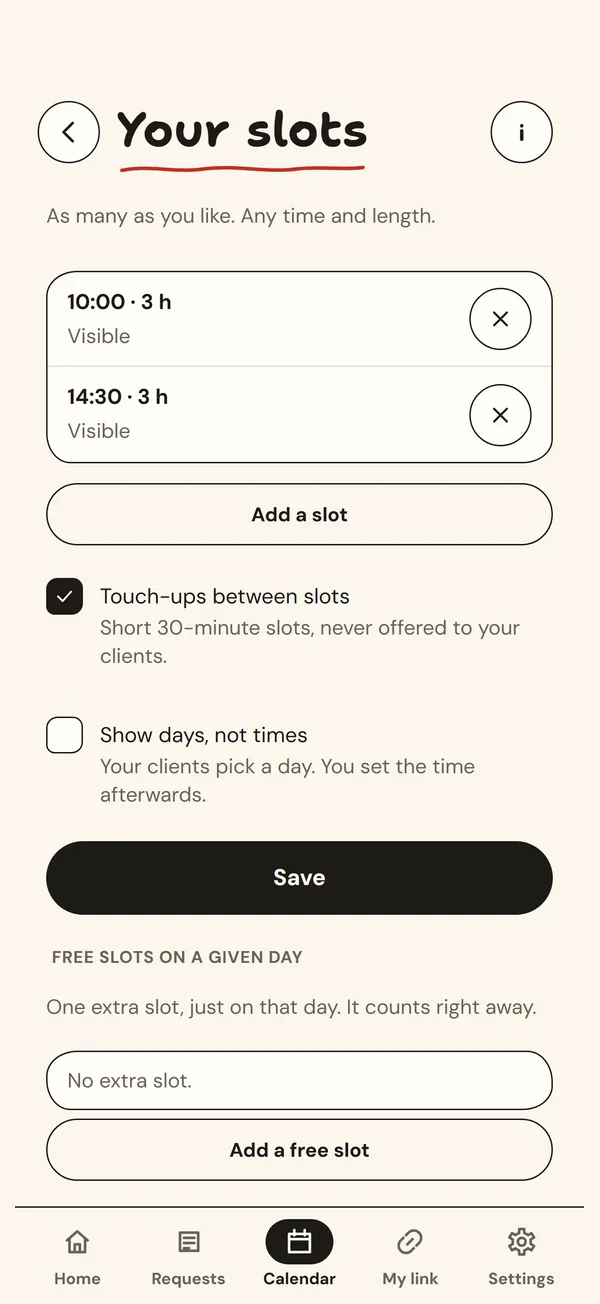
Any start time and length, touch-ups slotted in between sessions.
You note it down, the app does the maths. It never takes payments.
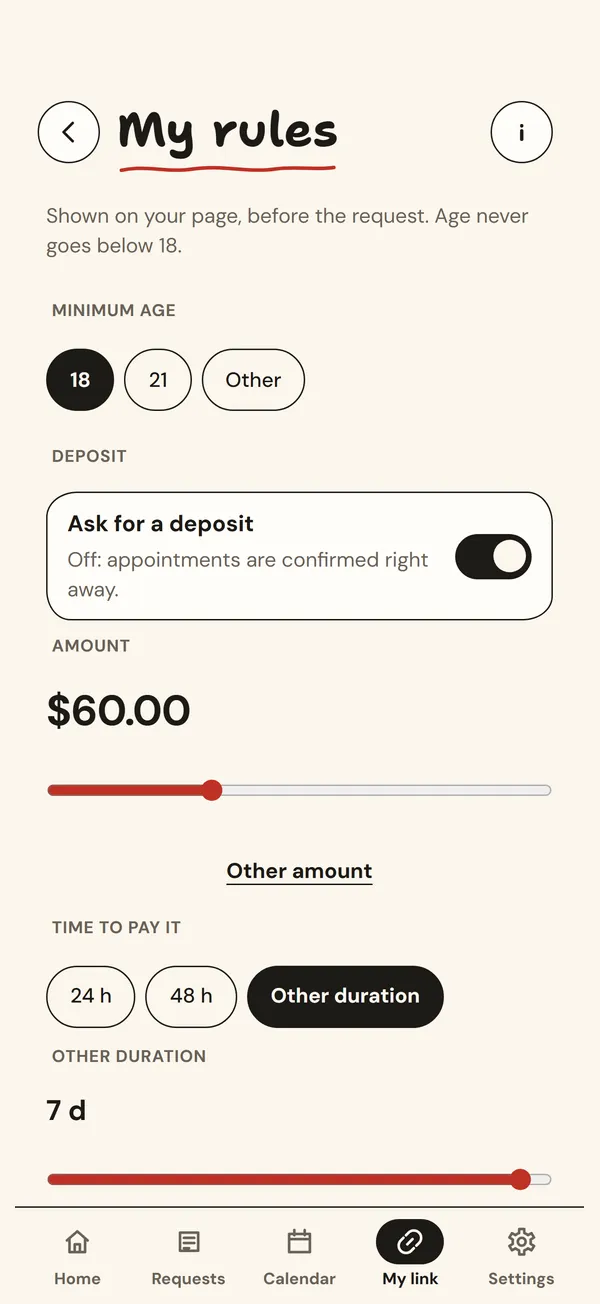
The amount, and how long to pay it: 24 h, 48 h or more.
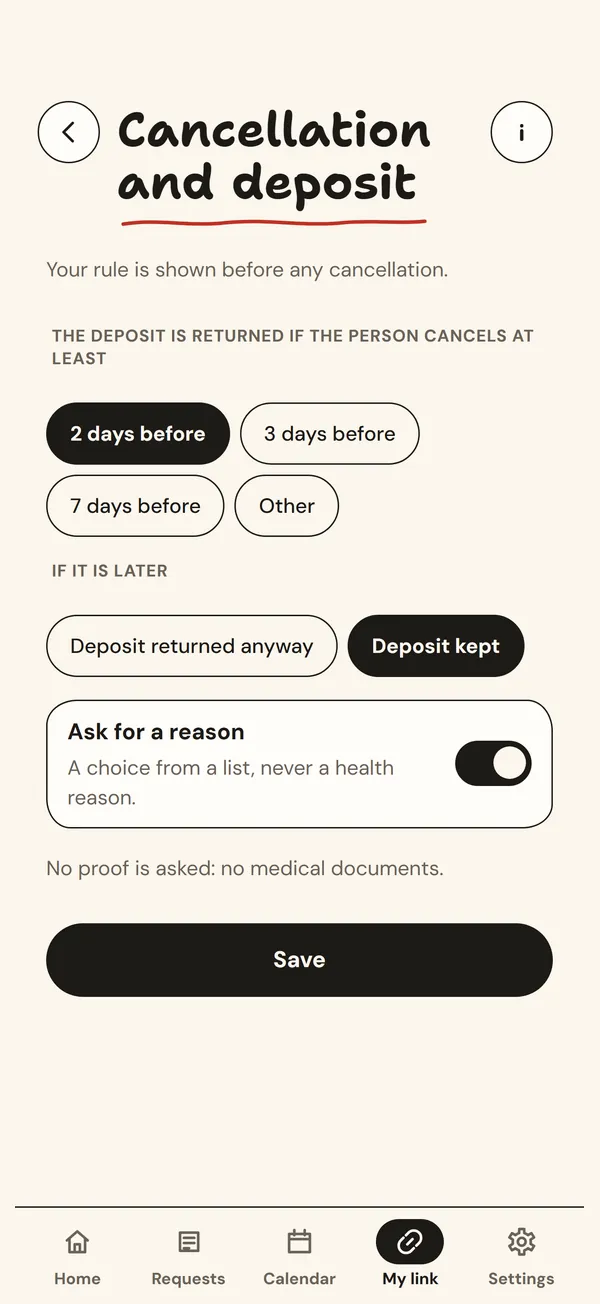
You decide until when the deposit is refunded.
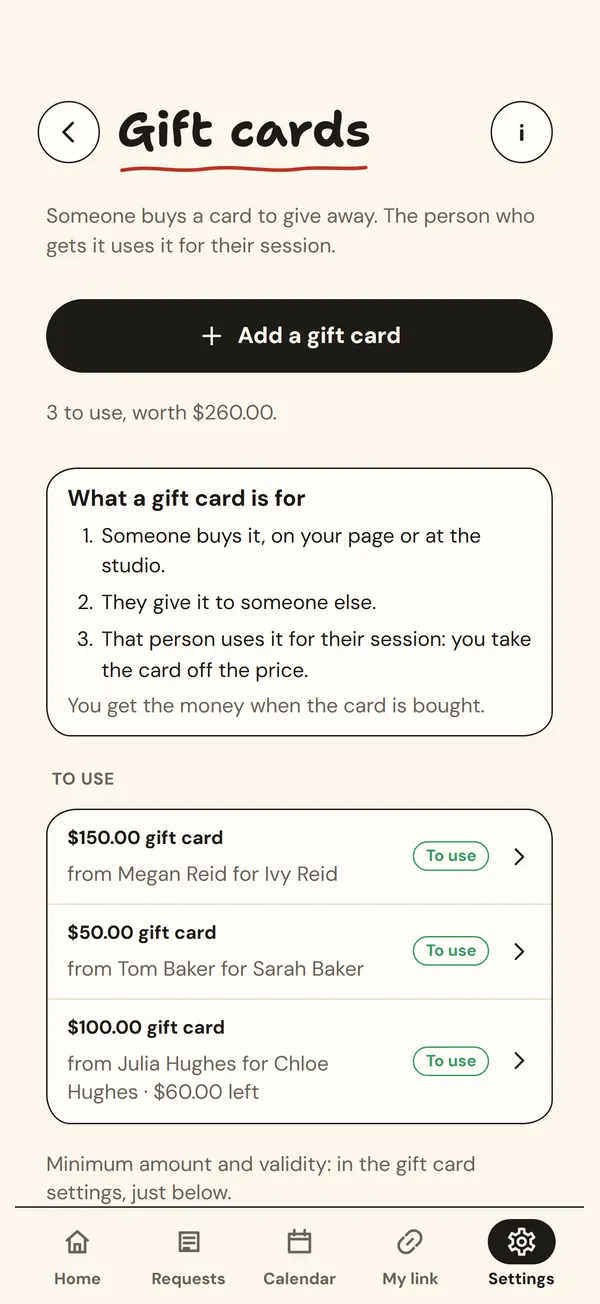
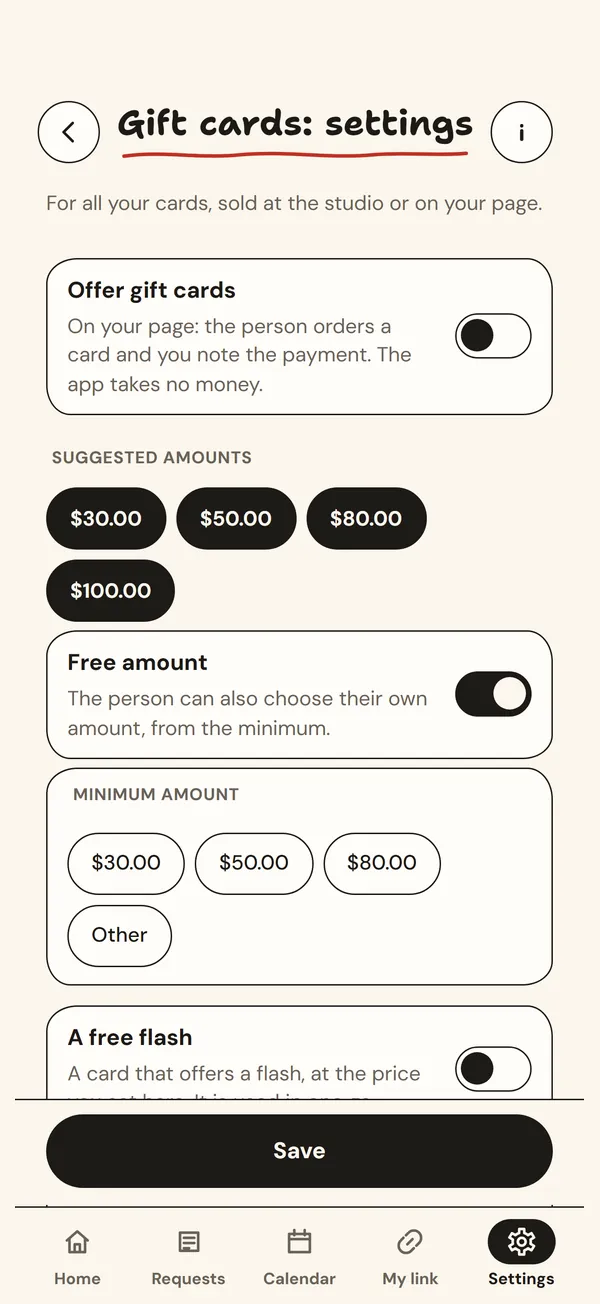
Sold in the studio or on your page, usable in several goes.
Suggested amounts, free amount, minimum.
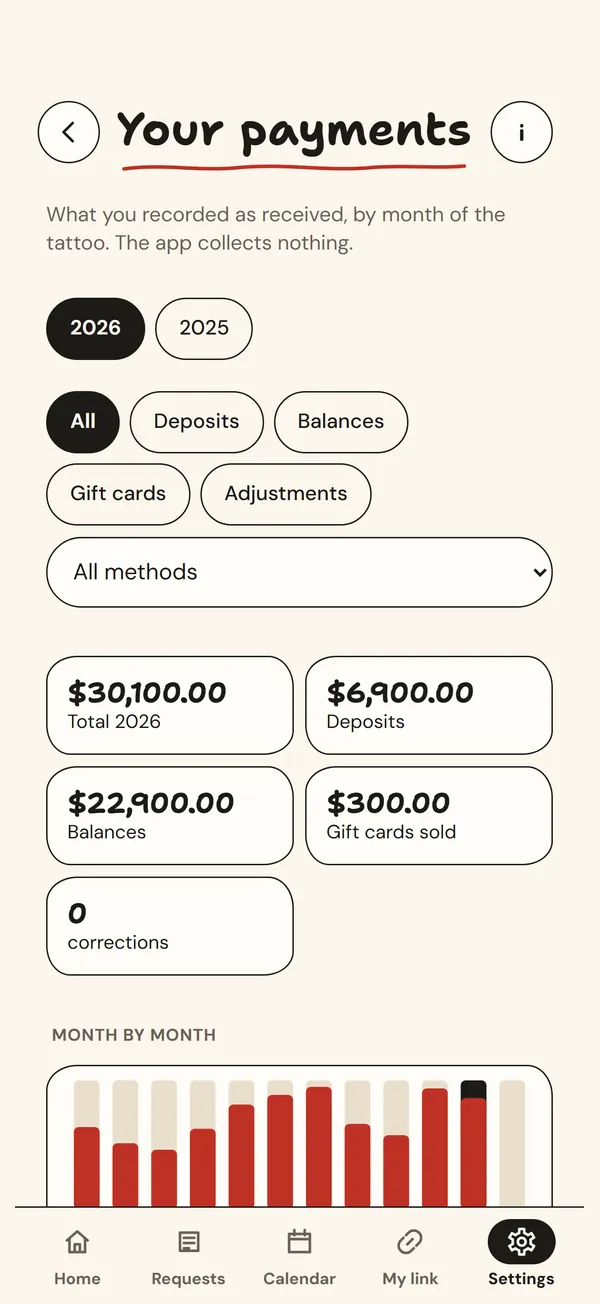
Deposits, balances and gift cards, month by month.
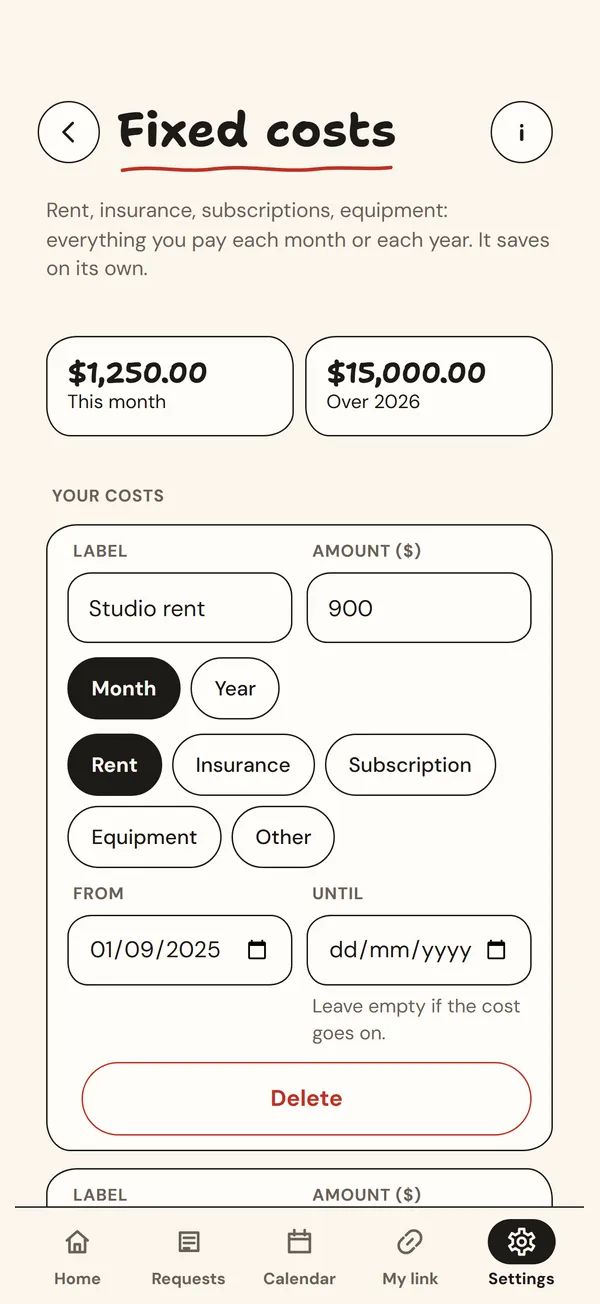
Rent, insurance, supplies: your real numbers, costs included.
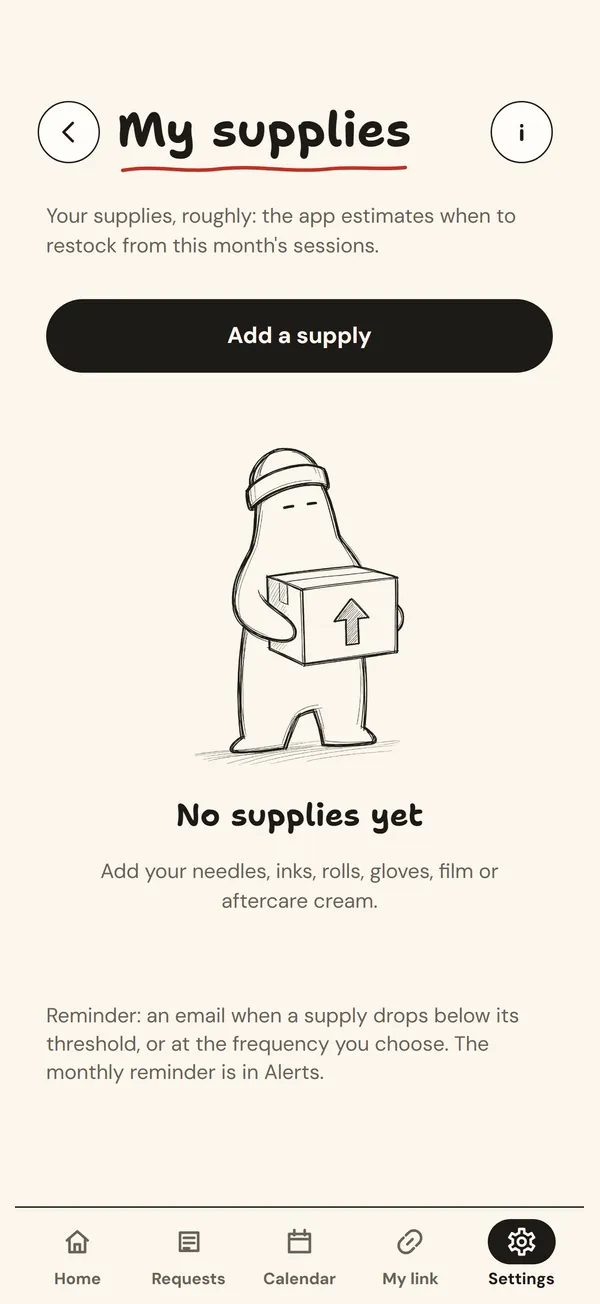
Needles, inks, gloves: the app warns you before you run out.
Find them, thank them, bring them back.
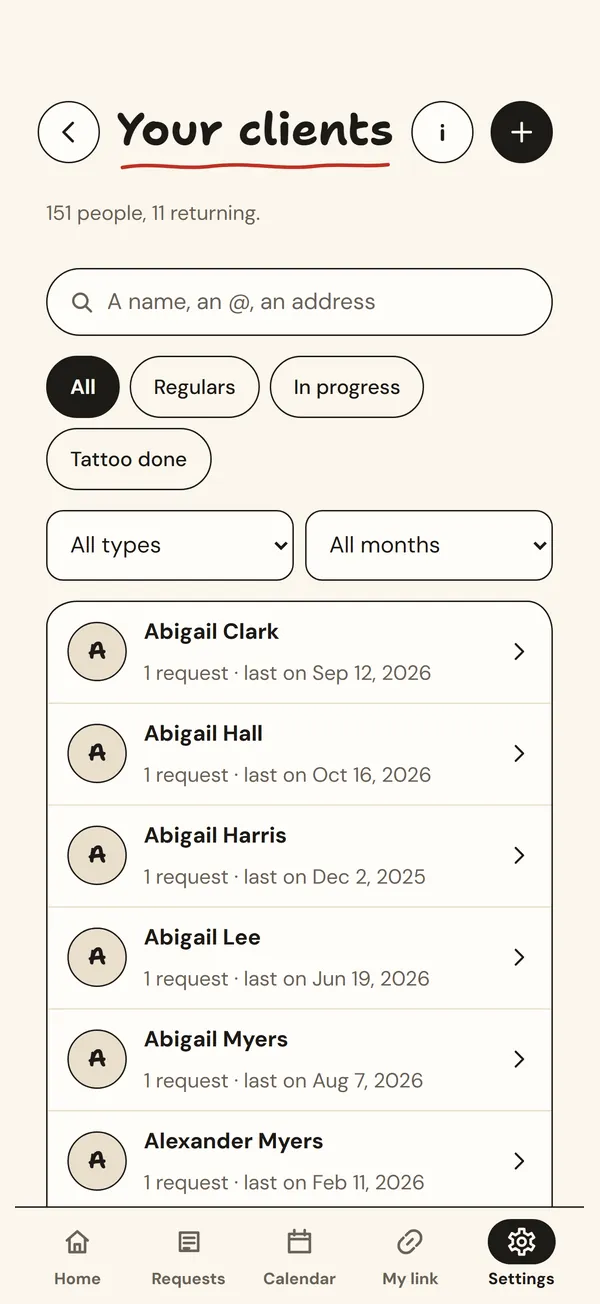
Each person, their requests and sessions, in one search.
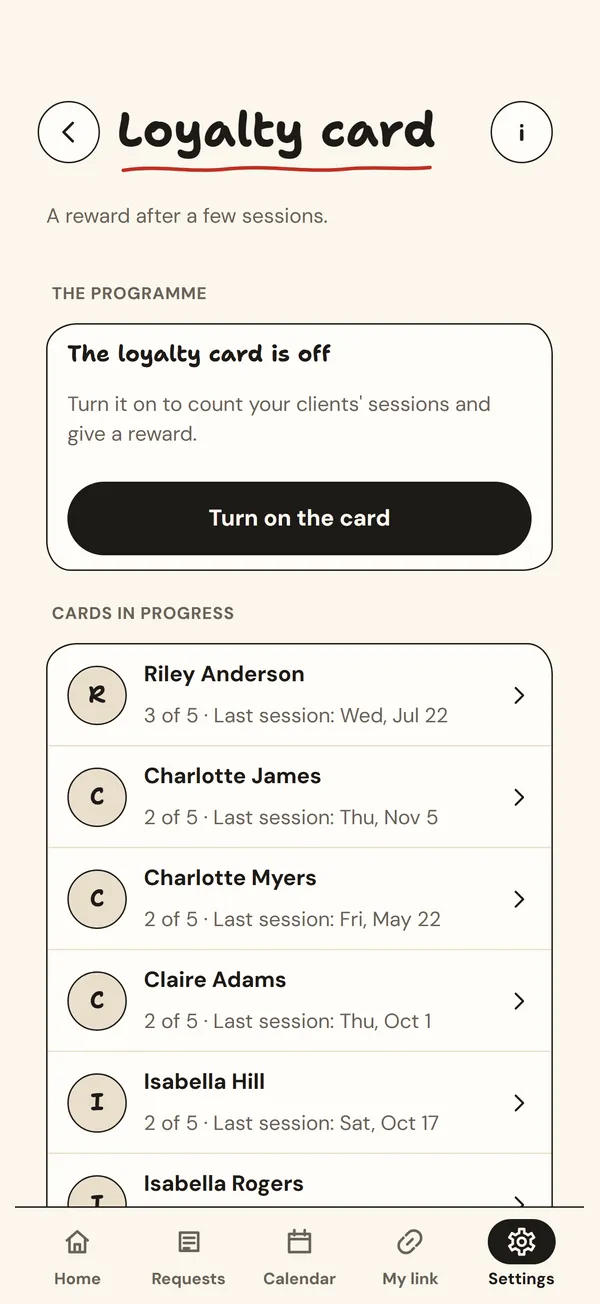
A reward after a few sessions, counted automatically.
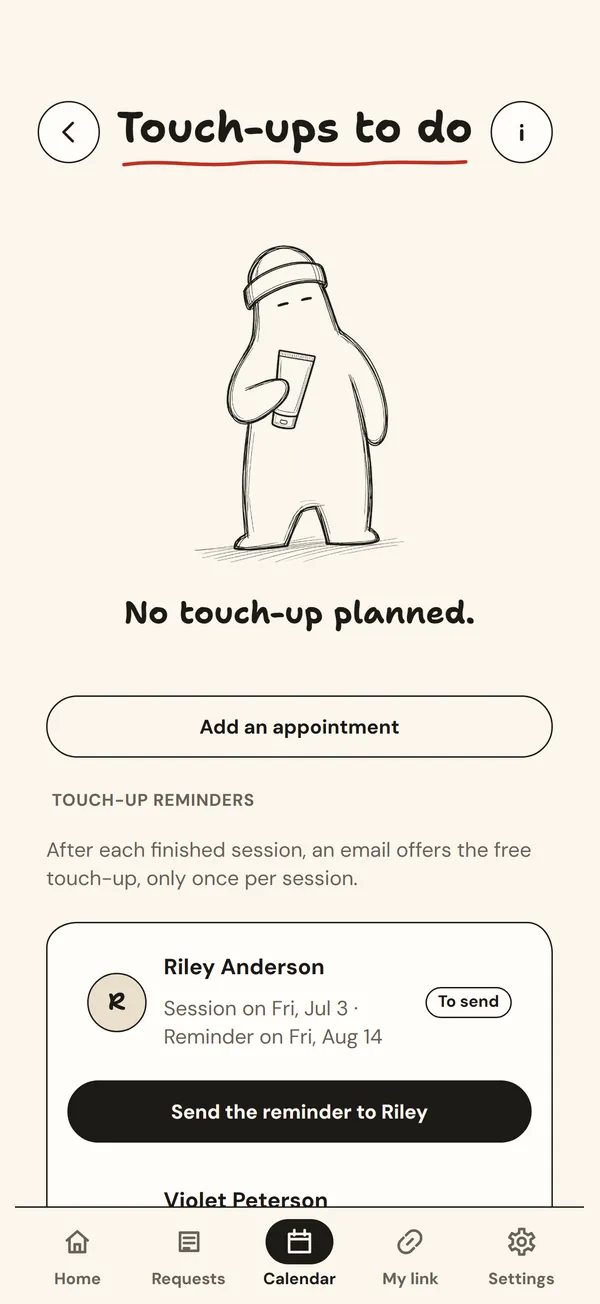
After each session, a reminder for the free touch-up.
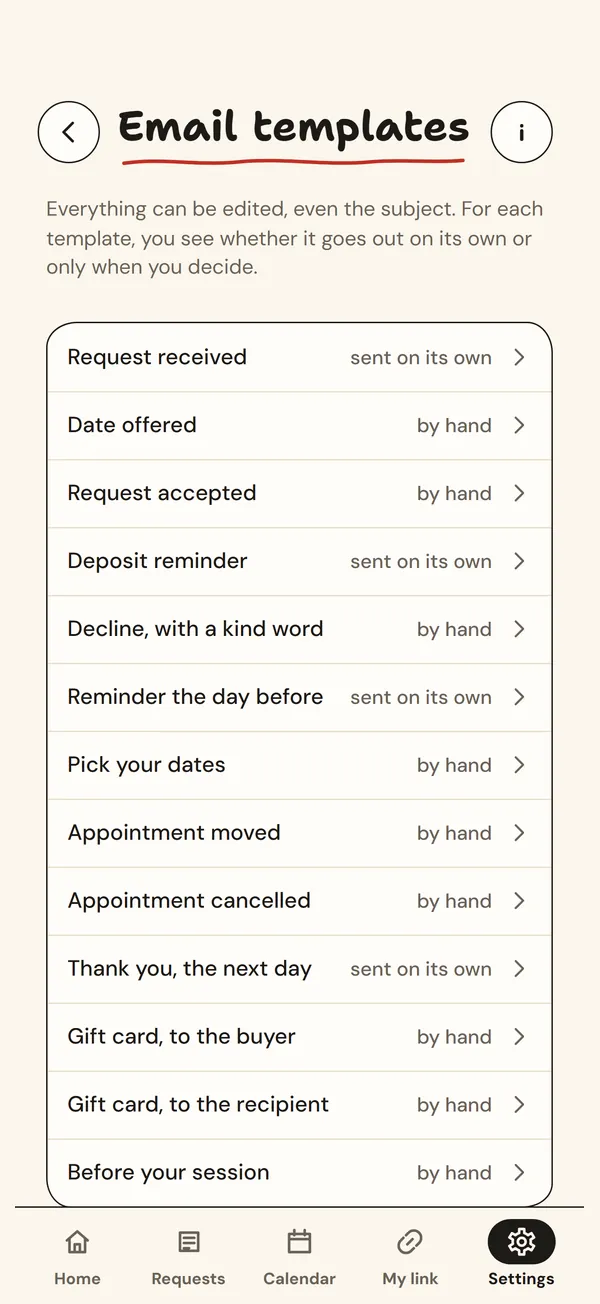
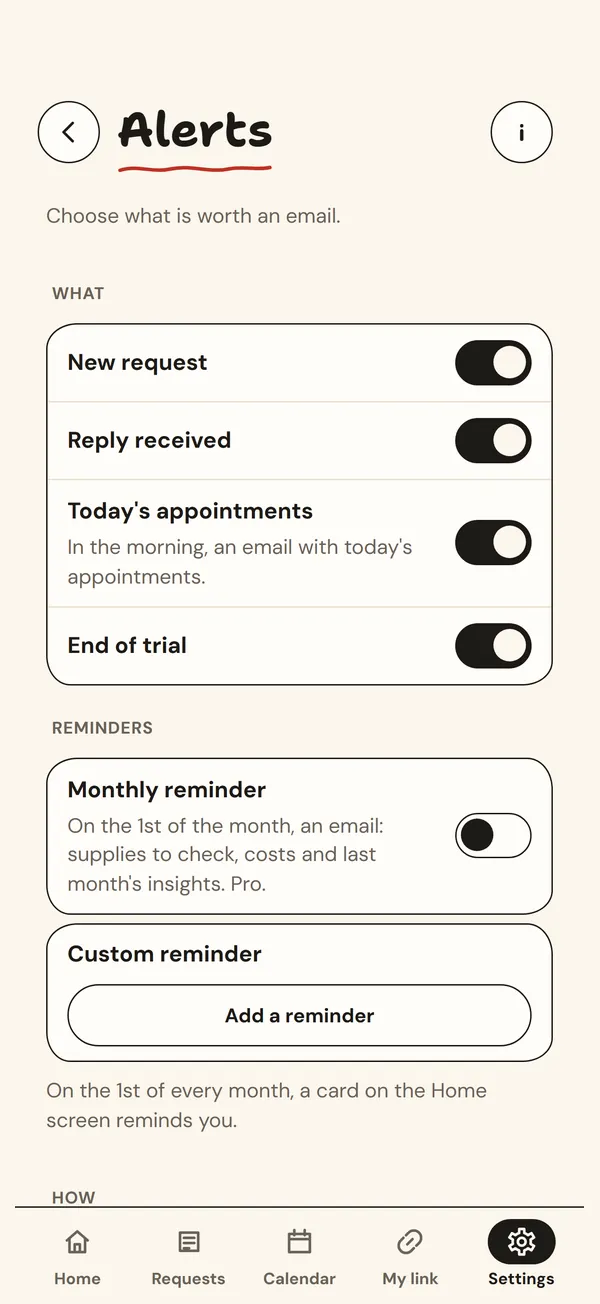
All editable. Some go out on their own, others when you decide.
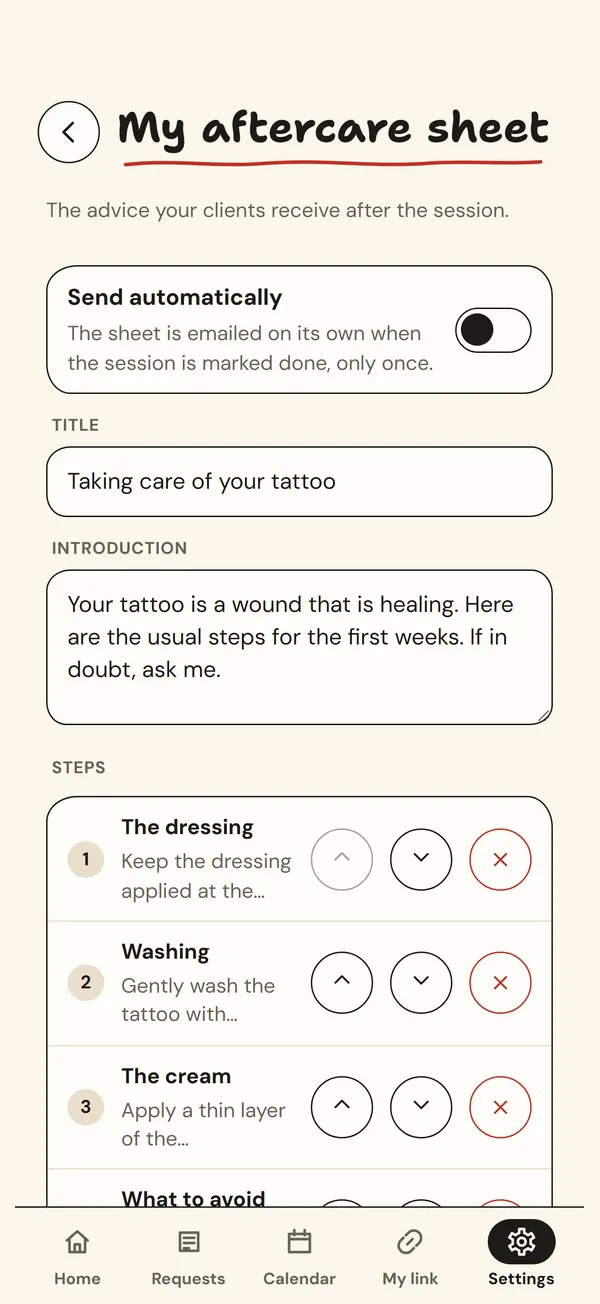
Your healing advice, sent after the session.
What runs on its own, and what stays yours.
New request, reply, and each morning your appointments of the day.
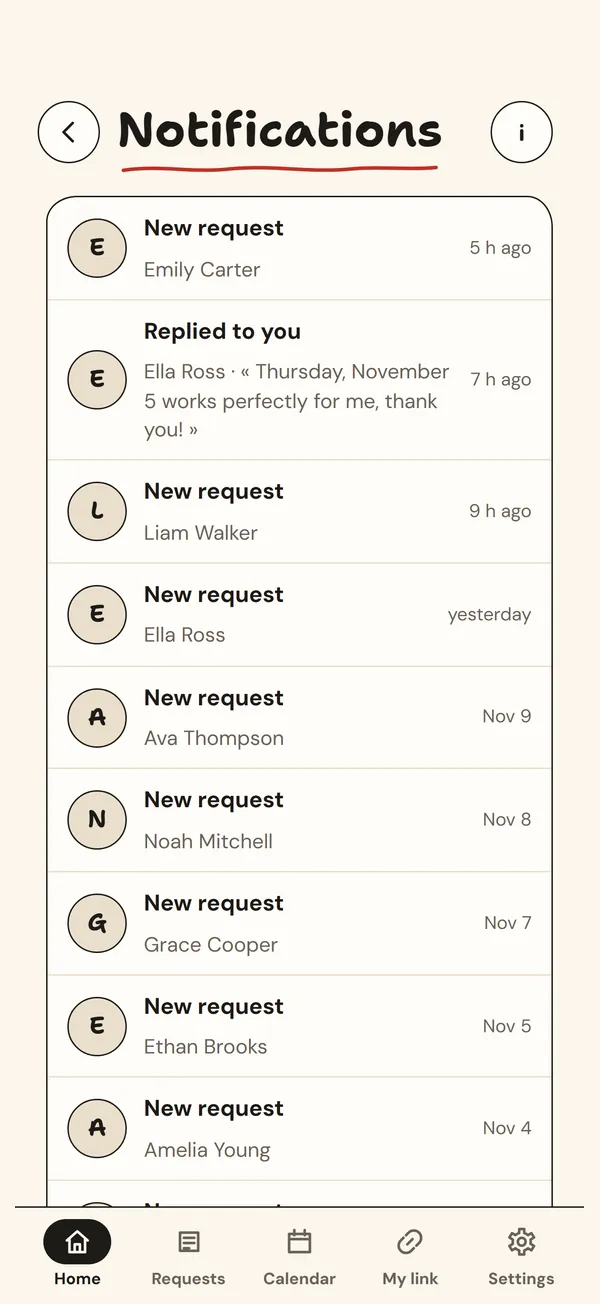
Everything that happens, under the bell on the home screen.
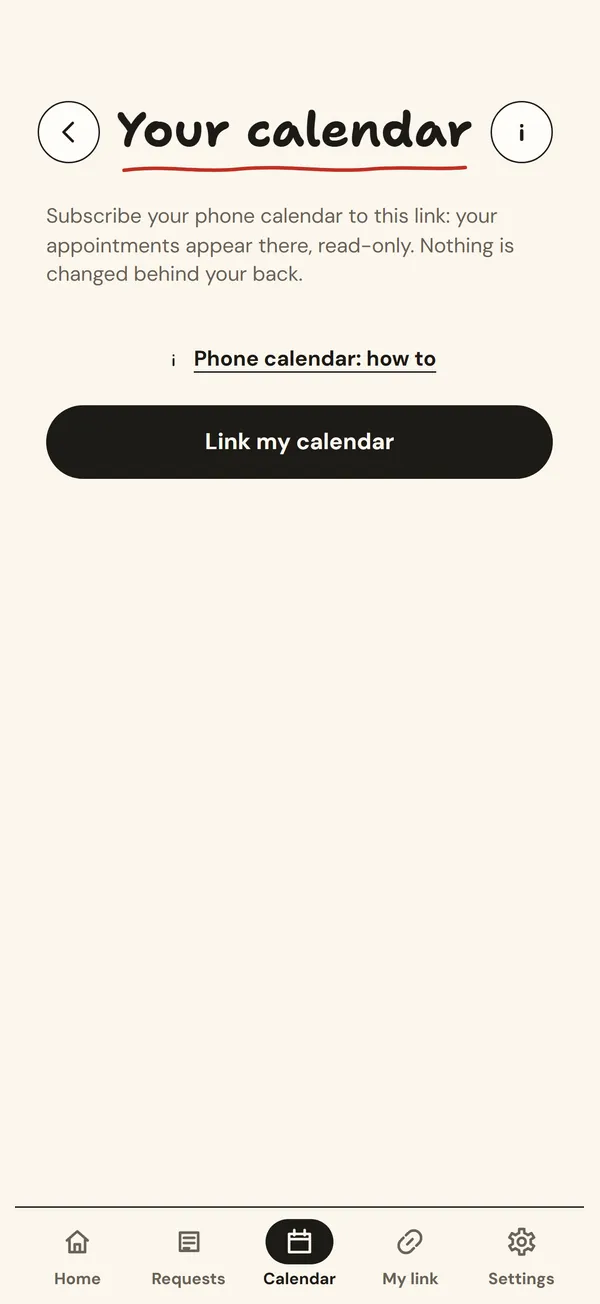
Your appointments in your phone's calendar.
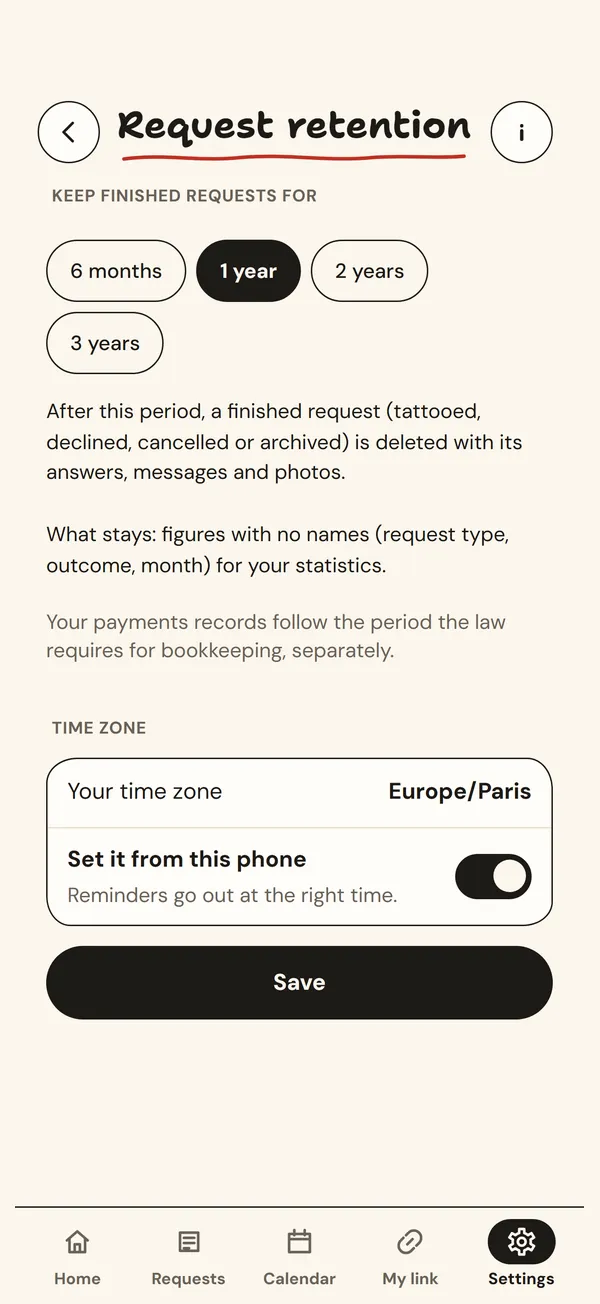
6 months, 1, 2 or 3 years: after that, it is deleted.
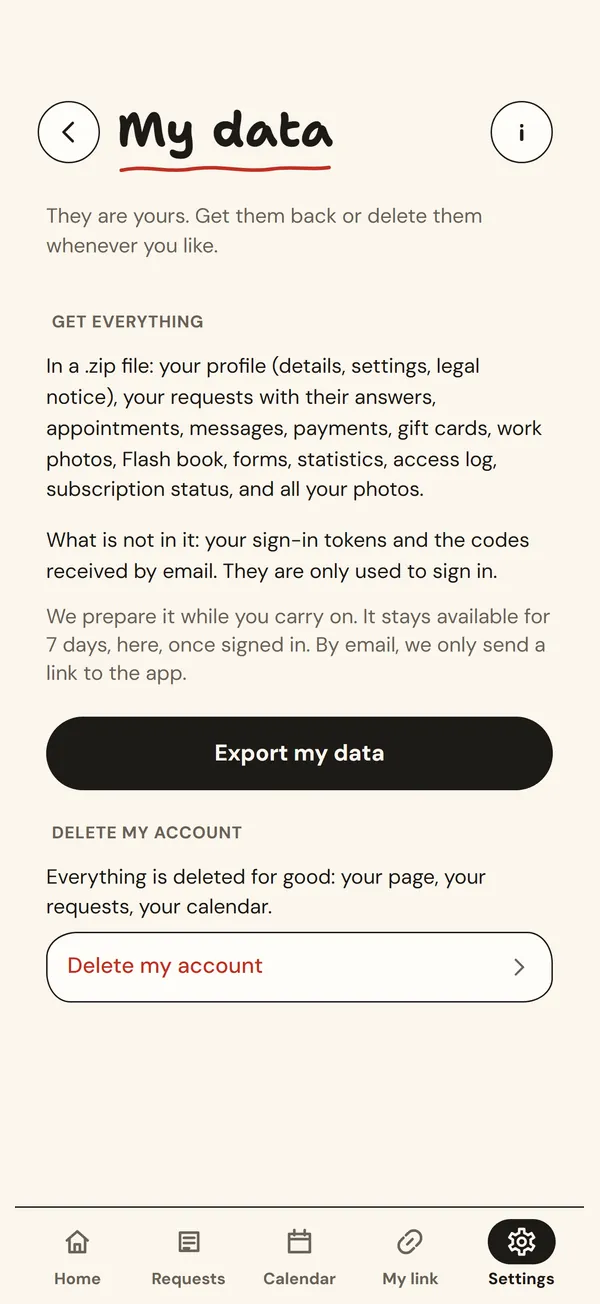
Everything in one file, whenever you like. It is yours.
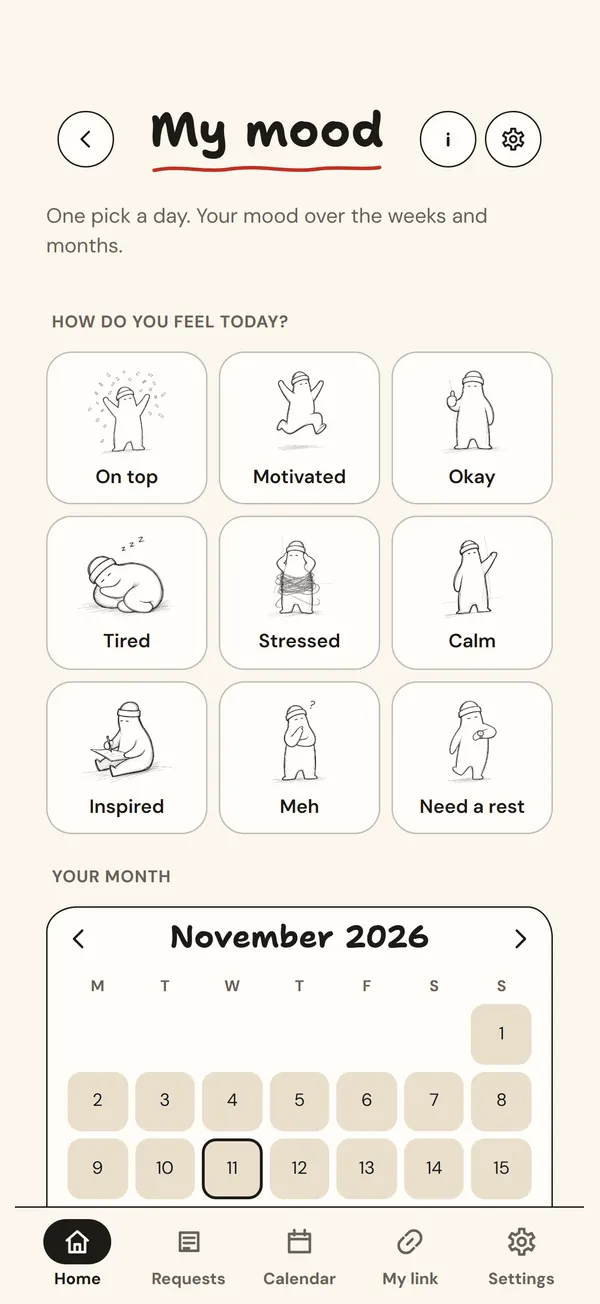
One pick a day, your mood over the months.
Everything inside
Write to me, I’ll get back to you quickly. Want an app with your own name, made for you? That’s custom work, quoted on request.
 1
2
3
4
 1
2
3
4
 1
2
3
4
 1
2
3
 1
2
3
4